14
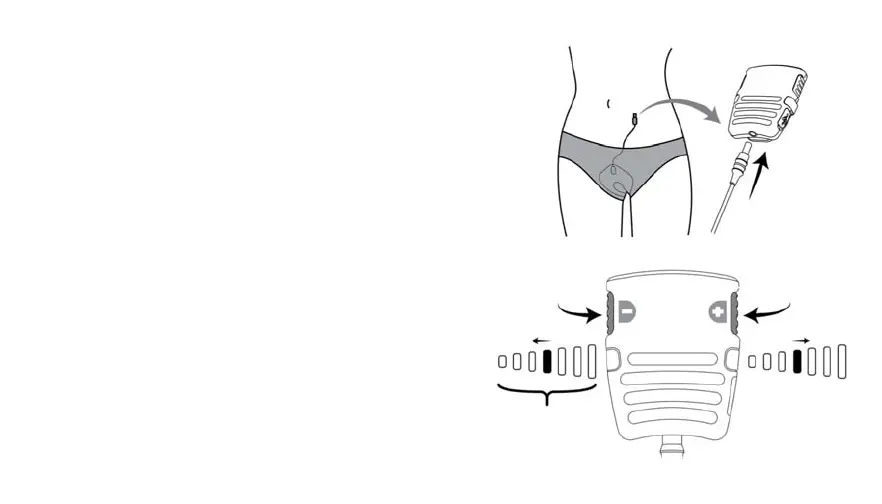
4. ConnectGelPadCabletoController
ConnectthecylindricalendoftheGelPadCabletothe
bottomoftheController.
5. BeginTreatmentSession/TurnON
Turn device on by tapping either button. Thesolid
greenlightindicatesthatthedeviceison.
Keeptappingtheincrease[+]anddecrease[‐]buttons
to adjust the intensity level until you feel strong
tolerablemusclecontractions.Thereare35intensity
levels.
Thebluelightchangeswithevery5intensitylevels.
Thefirstlight correspondstolevels 0‐4,the second
lighttolevels5‐9,andsoon.
After 4 seconds without further adjustment the
devicebeginscyclesof6secondsofstimulation(solid
orangetreatmentlighton),followedby6secondsof
rest(orangetreatmentlightoff).
Decrease
Intensity
5x
35Levels
Increase
Intensity
5x


 To Next Page