Installation manual Laser scanne
D-ID: V1_3 – 06.19 Changes can be made without further notification! 7
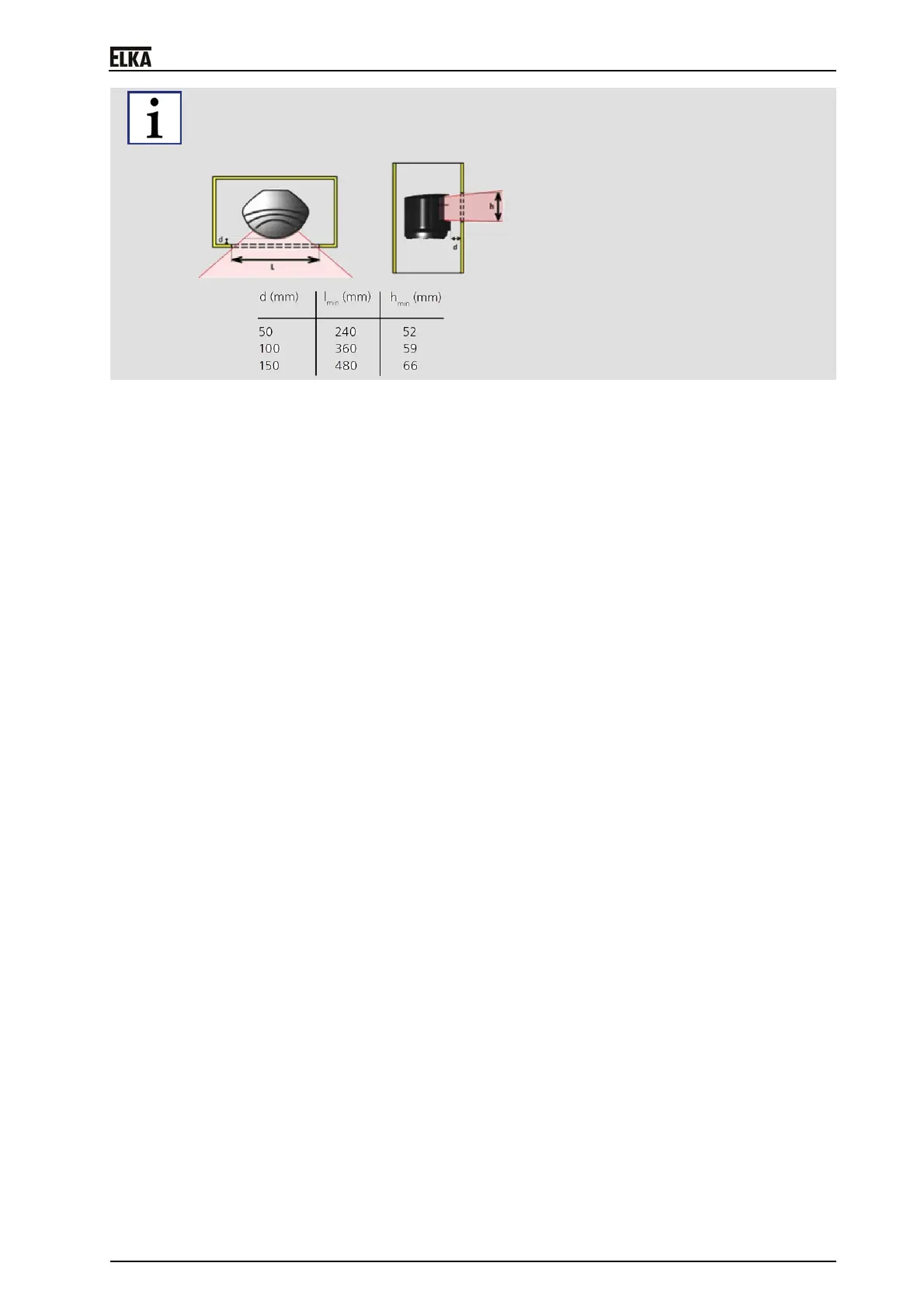
When mounting the laser scanner, ensure the correct positioning inside of the additional housing. The
viewing window and the detection field of the laser scanner must not be reduced by using the
additional housing or any other (on-site) covers.



 To Next Page
 Loading...