EasyManua.ls Logo

Elmo Zoom C-300 - Double-8 Film Counter and Operation; First Half Exposure and Counter; Second Half Exposure and Counter; ASA Dial and TTL Control

Elmo Zoom C-300
32 pages
Print Icon
To Next Page IconTo Next Page
To Previous Page IconTo Previous Page
Loading...
7:0
Tile
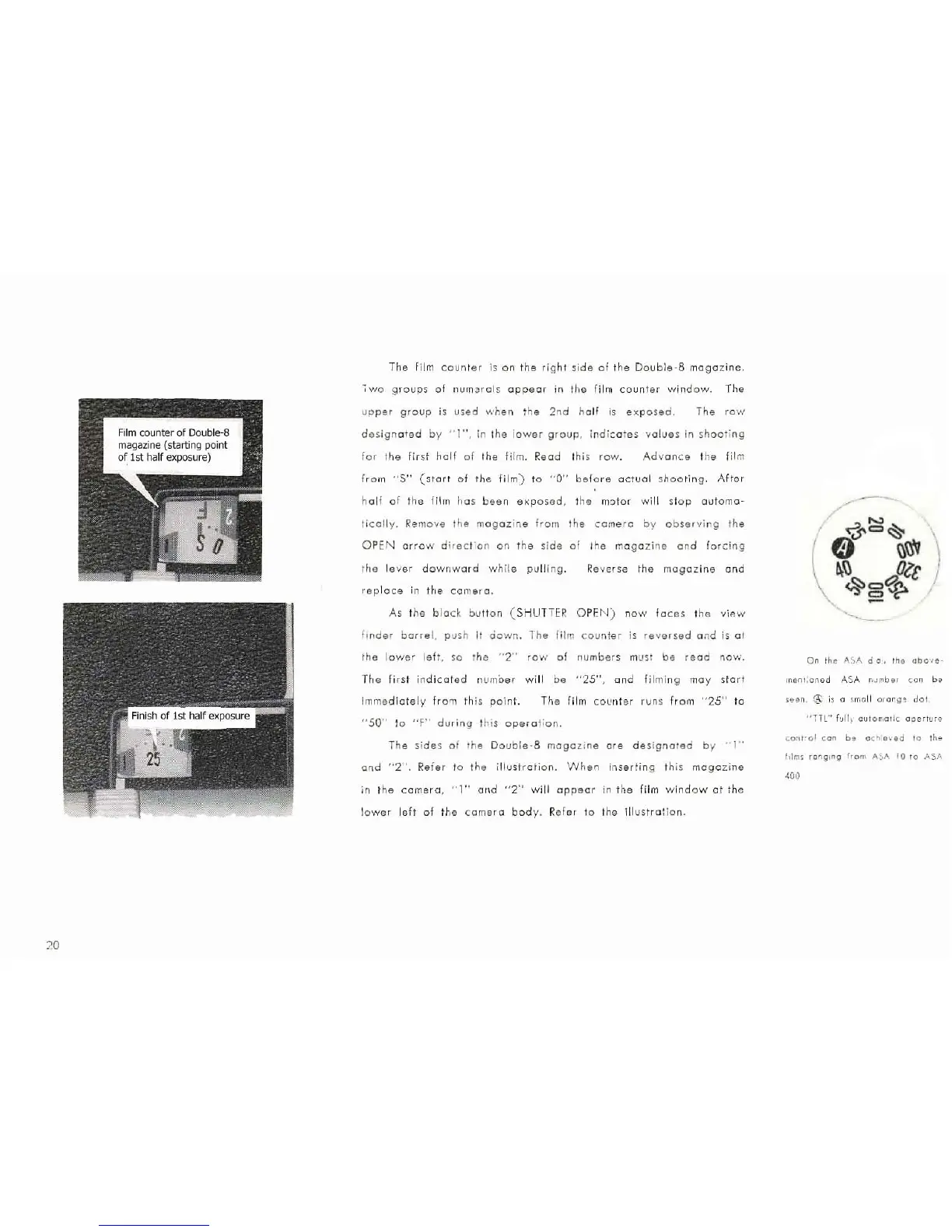
film
co
unl
er
is
on
tile
right
s
id
e
of
the
Double
-S
magaz
ine.
~w
o
gro
up~
of
nurn
::l
rols
appear
in
th e fi lm
cc
uili
er
wind
ow.
The
upper
group
is
used
when
the
2nd
h
alf
is
exp
osed.
The row
desig
naTed
by
'"1",
in
the l
ower
group,
in
di
:a
t
es
v
alue
s in
shoot
i
ng
for
the
first
half
of
the film, Read this
row,
Advance
t
he
film
fr
om
"$"
(~tarl
o f
the
f il
m)
to
"0"
before
octuol
sh
oo
t
ing.
A
ltar
half
of
the
film
has
been
exp
osed,
the
motor
will
st
op
automa-
ti
cally.
Remove the m
ag
az
in
e
from
the
camero
by
observing
the
OPEN
ar
row
direc
t
on
on
the si
de
of
the
magazi
ne
and
for
c
ing
t
ile
lever
downward
while
pullin
g.
~
e
v
er
se
th e
magazine
and
r
ep
l
ace
in
the
camero
,
As
the
blod
b
ull
all
(
SHUTTE
R O
PF.N
)
IlOW
lac
es t
h"
viAW
fmd
er b
arre
l,
push
It
ooWn
. T
he
fi
lm
counter
is r
evorsed
and is at
the
lower
le
ft
.
so
lha
" 2"
row
of
number
s must
be
read
1l0W.
Th
e first
indicat
ed
numoe
r
wi
ll be "'25", a nd fi lmin g
may
start
imme
diately
fr
o'll
th is
po
i
Ill.
The
film
CO
L'
llier
rUlls
fr
om
"25
" to
"SO"
10
"F"
during
th is
oper
a
tion.
The
sides
of
Ihe
D
oub
l
e·8
magaz
ine
ore
de
sign
a
ted
by
'1"
olld
"2
', R
efer
to
the
illustrat
io n.
When
inser
ti
ng th is
magazi
ne
in
the
camera
,
')"
alld
"2"
wi
ll
appear
in
the
fi
lm
window
at
the
low
er
l
eft
o.f
the
ca
mera
body.
Re
fer
to the
il
l
ustro
tio n.
On
th
e
ASA
d
a,
Iho
aiH)l
8-
me
n!
:o.1
ed A
C,
A
n~
Mb
e
r
co n be