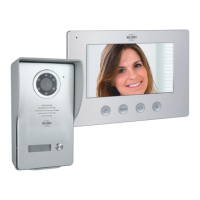
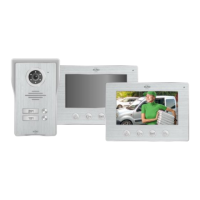
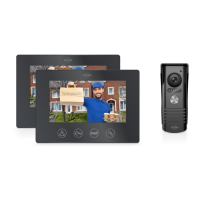
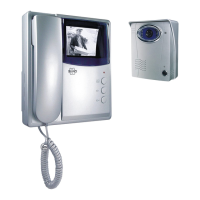
The ELRO DV477IP-Series IP Video Door Intercom is a comprehensive security system designed for both residential and commercial use, offering advanced features for visitor management and property access. The system includes an outdoor unit with a brushed aluminum finish and a protective heavy metal rain cover, ensuring durability and weather resistance. For indoor use, a sleek 7-inch (18cm) LCD monitor with a brushed aluminum design is provided.
Function Description:
The primary function of the ELRO DV477IP-Series is to enable communication with visitors at the door and control access to the property. When a visitor presses the call button on the outdoor unit, the indoor monitor automatically switches on, allowing the resident to see and speak with the visitor. The system supports remote interaction via a free smartphone application, "ELRO Intercom," which allows users to talk to visitors, capture images or videos, and remotely control an electric door opener from anywhere with an internet connection.
The outdoor unit features a camera with a 60° horizontal and 45° vertical viewing angle, complemented by six white LEDs for optimal night vision up to two meters away. A twilight switch automatically activates these LEDs in low-light conditions. The nameplate on the outdoor unit illuminates when the call button is pressed, enhancing visibility for visitors.
The indoor monitor offers a range of customizable settings, including 16 selectable ringtones, adjustable ringer volume (3 steps), brightness, and chroma (color intensity). It also allows for speech volume adjustment. The monitor provides direct control over an electric door opener, releasing a 12V DC voltage upon activation, and a potential-free contact for switching gates or fences with their own power supply.
The ELRO Intercom app extends the system's functionality to smartphones, providing real-time visitor interaction, photo/video capture, and remote door control. The app supports sharing with multiple users, offering both equal and restricted access rights, making it suitable for families or shared living spaces.
Important Technical Specifications:
- Monitor:
- Resolution: 800(H)3RGB480(V)
- Size: 18 cm (7")
- Observation Time: 40 seconds
- Talk Time: 120 seconds
- Power Consumption: In rest ≤ 4.5W, Operating State ≤ 9.5W
- Adapter Input: AC100-240V
- Adapter Output: DC12V, 2A, 24W
- WiFi: 2.4GHz
- Cable Length: 15 m; 4 x 0.2 mm (connection cable)
- Dimensions: 214 x 152 x 17 mm
- Number of Ringtones: 16
- Outdoor Unit:
- Resolution: 700 TV lines
- Viewing Angle: 60° horizontal, 45° vertical
- Working Temperature: -10°C ~ 50°C
- Humidity: 10% ~ 90%(RH)
- Night View: 6 x white light LEDs, 2 meters range
- Dimensions (rain shade): 122 x 206 x 79 mm
- Connectivity: The system uses a 2-core cable (0.2 mm² per wire) for electric door opener connection. A 2-core cable with a plug is supplied for this purpose, allowing connection through the outdoor unit.
Usage Features:
- Mounting Flexibility: The outdoor unit can be mounted with a rain-sun shade, and the camera angle of view is adjustable post-installation. The monitor should be mounted within WiFi range.
- Customizable Settings: Users can personalize ringtones, adjust volume, brightness, and color intensity on the monitor.
- Remote Access: The ELRO Intercom app allows for remote monitoring, communication, and door control via smartphone.
- Multi-User Support: The app can be shared with family or guests, with options for equal or restricted access rights, managed through QR code scanning or LAN configuration.
- Door Opener Integration: Provides a 12V DC output for electric door openers and a potential-free contact for gate/fence openers with independent power supplies.
- House Number Display: The outdoor unit's front plate can be removed to insert a piece of paper with house numbers.
- Privacy Features: The app includes a "Privacy Statement Agreement" for user consent and data protection.
Maintenance Features:
- Cleaning: The equipment should be cleaned with a soft cloth. Avoid using polish, thinner, or caustic agents.
- Troubleshooting/Reset: If app pairing fails, the monitor can be reset by pressing the key button for at least 5 seconds. The monitor will indicate a successful reset and guide the user to re-establish network setup via the mobile application.
- Device Removal: Devices can be easily removed from the app by sliding left and pressing "delete."
- Password Management: The app prompts users to change the initial password for security and allows for personalized device naming.
- Safety Guidelines: Users are advised to install the equipment in environments free from high temperature, high humidity, and direct sunlight. It should be kept away from televisions to prevent signal interference. The AC adapter should be placed in an accessible location for easy disconnection. Only supplied cables should be used.

 Need help?
 General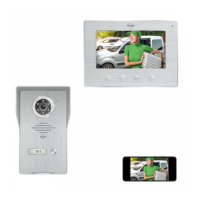

 To Next Page