X101532E 20
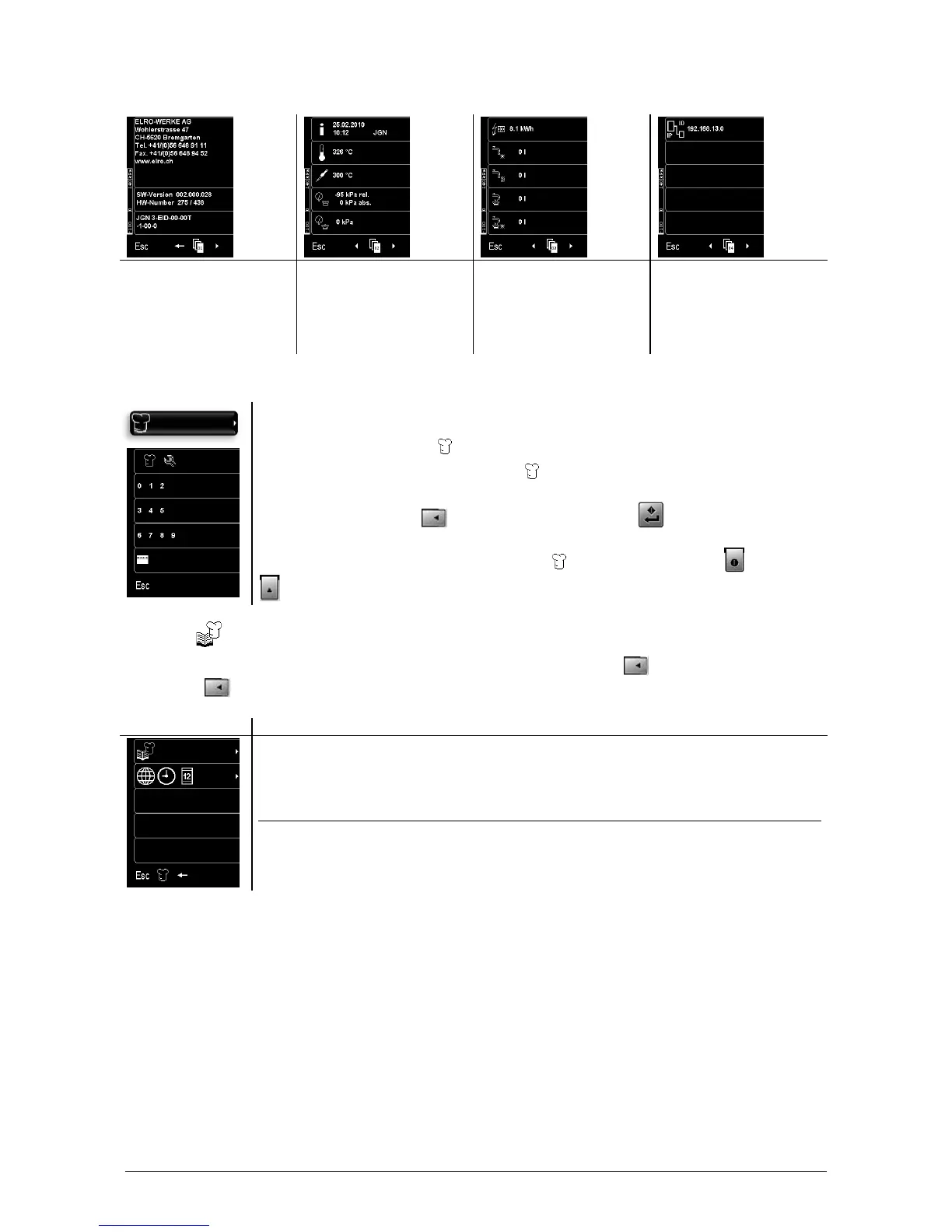
7.4 Appliance information
After Sales Service
address
Software and hardware
information
Software type key
Date, time and
appliance type
Appliance temperature
Core temperature
Energy consumption
Cold water consumption
Hot water consumption
Display control 90 has various user codes. Depending on the user code, the user has
various rights:
2468 cooking programs
2345 cooking programs and settings
Enter the user code with (2) to (4). Confirm entry with (D).
After confirmation, the corresponding configuration menu for the user code is
displayed. As information, the symbol appears between (A) and
(B).
7.6 Cooking programs
Here, you can create, modify and save cooking programs in the cookbook (1). Furthermore, you can
modify with (2) the time zone, clock and date settings.
Menu selection key / Function key
(1) Cookbook
(2) Time zone, clock and date settings
(3) –
(4) –
(5) –
(A) Esc Main menu
(B) Back to previous menu
(C) –
(D) –



 To Next Page