20.
Storage
* Always store CDs in their cover.
* Do not subject discs to direct sunlight, dirty, dusty and damp areas or car heaters.
Cleaning
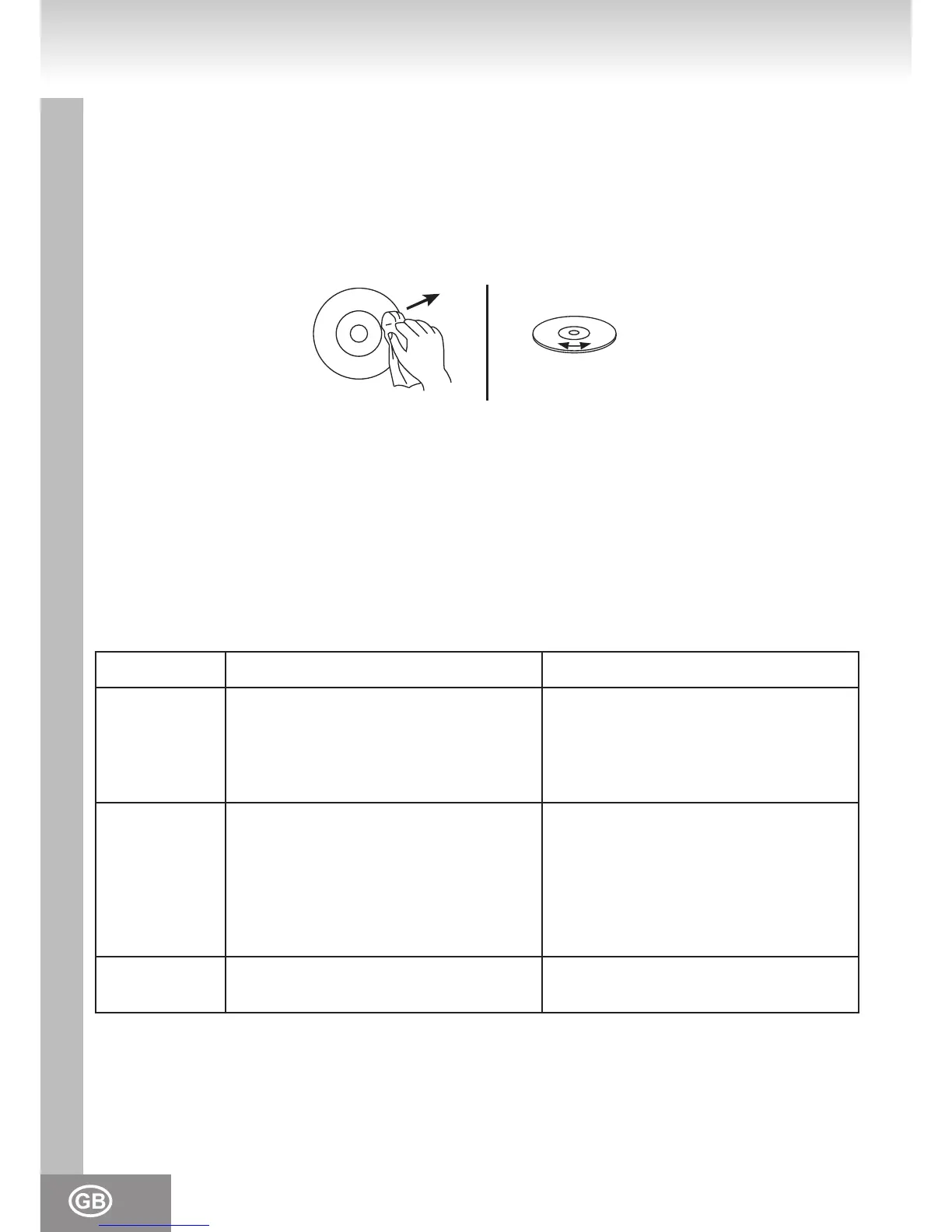
* Clean CDs with a soft cloth.
* Clean CDs from the center to the edge.
FROM THE CENTRE TO THE EDGE
CORRECT INCORRECT
* Do not use chemicals such as benzene, thinner, gramophone record cleaners or antistatic sprays.
* Close the door of the CD drive to prevent the inltration of dust.
* Do not touch the pick-up lense.
TROUBLESHOOTING
To solve the common problems, read and follow the troubleshooting list. If you still cannot solve the
problem, consult your nearest service dealer.
WARNING: Never open the device. Always refer service or maintenance to authorized customer
service personnel.
PROBLEM POSSIBLE CAUSE SOLUTION
GENERAL
No sound Volume is set too low.
Batteries exhausted.
Batteries inserted incorrectly.
Mains cable not connected.
Adjust the volume.
Change the batteries.
Observe polarity.
Connect mains cable correctly.
RADIO
Poor reception Weak signal.
Interferences by other appliances (TV
sets, VCRs, computers, etc.)
Adjust antenna:
FM: telescopic antenna.
AM: adjust unit.
Keep distance to other electric
appliances.
CD / MP3
CD skips The CD / MP3 is dirty or damaged. Replace or clean the disc.



 To Next Page