How to add bookmarks (indexes)
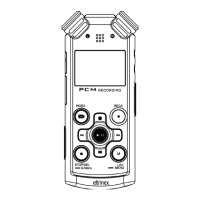
Press the INDEX button stortly while recording or playback of
the file. The bookmark appears at that position and allows
you to find this position very easily in the future.
Change of information about recording
Use short press of M button while recording to see all
important informations abou the length of recording,
remaining time of recording, etc.
Playback of recorded files
Selecting the file
Use left and right arrow to find the requested file and press
PLAY button to confirm your selection. Use short press of M
button to list all recorded files.
Bookmarks (indexes)
For skipping to next or previous bookmark, please press the
right or left arrow during playback.
Setting of playback filters
Press the REC button shortly while playback to change the
sound filter applied on currently played file. You can choose


 To Next Page