Basic operations
Turn on / turn off
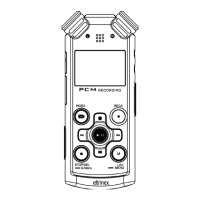
Press and hold the PLAY button until the LCD start displaying
starting logo. After that release the PLAY button and wait for
the voice recorder to warm up. For turning off, use also the
long press of PLAY button as well.
Lock buttons
To avoid the unwanted press of buttons while carying the
voice recorder in your pocket, please use the Buttons Lock
slide which is located on the left side. If your voice recorder
refuses to turn on, please check this slide if it is not set to
„Locked“ position.
Changing mic. mode (meeting / interview)
Using the slide on right side (20), you can switch between
two modes:
Meeting – recording of the whole room or wider space
without any focus.
Interview – targeted recording with focus on the person who
is speaking directly to the microphones.


 To Next Page