EasyManua.ls Logo

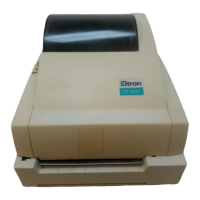
Eltron TLP2642 - User Manual

Default Icon
40 pages
Print Icon
To Next Page IconTo Next Page
Loading...
User’s Manual No. 980101-001 Rev. A
2642/3642 Series
Thermal Printers
User’s Manual
Models: LP2642 and TLP2642
LP3642 and TLP3642

Questions and Answers

Summary

Foreword

Return Materials Authorization

Copyright Notice

Trademarks

Warranty Information

FCC Notice

Industry Canada Notice

Installation

Unpacking Your Printer

Instructions for unpacking the printer components and accessories.

Attach Power Supply

Step-by-step guide to connecting the power supply to the printer.

Attach Interface Cable

Procedure for connecting the printer to a computer using interface cables.

Memory Cartridge (Optional on 2642)

Guide for installing an optional memory cartridge into the 2642 model printer.

Apply Power

Steps to turn on the printer and check the power indicator status.

Install Software

Instructions for installing the printer driver and software from the diskette.

Operation

Using Your Printer

Overview of the printer's physical components and their functions.

Power Switch

Locating and operating the printer's power switch.

The FEED Control

How to use the FEED control for advancing labels and line feed operations.

The POWER Indicator

Understanding the meaning of different colors displayed by the POWER indicator.

Loading Labels or Tags

Detailed steps for loading various types of labels and tags into the printer.

Top Of Form Sensing

Explanation of how the printer detects the top of labels using gap or black line sensing.

AutoSense Gap Sensor Adjustment

Procedure for adjusting the gap sensor sensitivity for accurate label feeding.

Threading The Optional Label Dispenser

Instructions for setting up and using the optional label dispenser.

Cleaning The Print Head

Guide on how to clean the printer's print head using a cleaning pen.

Loading Transfer Ribbons (TLP Models Only)

Step-by-step instructions for loading transfer ribbons into TLP model printers.

Removing A Partially Used Transfer Ribbon

Procedure for safely removing and storing a partially used transfer ribbon.

Replacing the Printer Memory Backup Battery

Instructions for replacing the printer's internal memory backup battery.

Appendix A - Troubleshooting

Other Support Resources

Appendix B Accessories

Serial Interface Cable Wiring

Appendix C Using The Windows Printer Driver

Paper (Label) Size

Setting the correct paper or label size in the printer driver for accurate printing.

Media Choice Print Speed

Adjusting print speed for optimal performance with different label stocks.

Print Quality, Print Density

Configuring print darkness and density for best print results.

World Wide Offices

Eltron TLP2642 Specifications

General IconGeneral
Resolution203 dpi (8 dots/mm)
Print MethodDirect Thermal
Memory8 MB DRAM, 4 MB Flash
Media Width0.75" (19 mm) to 2.36" (60 mm)
ConnectivityUSB, Serial, Parallel
Supported Barcode TypesCode 39, Code 128, Interleaved 2 of 5, Codabar, UPC-A, UPC-E, EAN-8, EAN-13, Postnet
Supported Media Typestag stock, wristbands
Operating Temperature41 to 104°F (5 to 40°C)
Storage Temperature-40° F (-40° C) to 140° F (60° C)

Related product manuals