Reminder
1. If you just skipped through all the pages and are only reading this,
you missed some important information! Please, read the User
Manual before operating the device.
2. Please, check all ports in case of liquid leakage before powering up
the device.
3. Any changes or modifications not expressly approved by Eluktronics
Inc. for compliance could void your warranty. Contact our support
team if you need any assistance or have questions that weren't
answered in our quick guide, this manual, or how-to videos online.
4. Using unauthorized extension cables/tubes will invalidate your
warranty.
Trouble Shooting Guide
1.If water leakage occurs: please disconnect the device immediately
and check if Liquid Cooling Box’s ports are connected firmly, all ports
should be tightened to ensure all pipes are sealed.
2.Check if the laptop and Liquid Cooling Box is paired properly via
Bluetooth before activating the Liquid Cooling Box, if not:
2-1. Check if the power if turned on and connected.
2-2. Check if the Control Center is installed.
2-3. Check if laptop’s Bluetooth is turned on.
2-4. Restart laptop and Liquid Cooling Box so it can pair again.
3.When Liquid Cooling Box’s water pump is malfunctioning: the power
button will flicker in red light and shut down automatically after 10
seconds.
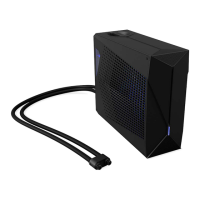
4.If you hear abnormal sounds coming from the LCT22002, it may due to
oxygen that is stuck inside of the pipes, please follow the steps below to
remedy the issue :
4-1.please detach the water tube from the notebook, Please use the provided
“drainage tool” and inject it into the two holes on the water tube for 2 seconds.
4-2.Gently squeeze the left tube, release and squeeze gently a few times.
(Back side view)
4-3.Tilt the LCT22002 to the left or backwards and maintain that position for 3
seconds before placing it back to original position.
Note : please make sure that the top lid is properly screwed on so that no water
will spill out.
Device Maintenance
1.Replace the water in Liquid Cooling Box’s water tank regularly, check
4 Inject water into the Liquid Cooling Box, 7 Disconnect the Water
Tubes and 8 Change water or Travel for more details.
2.When using Liquid Cooling Box in sub-zero temperature, please drain
the water completely after every usage, to prevent the pipes from frost crack.
3.Using distilled water is recommended.


 To Next Page
 Loading...