LPP G2 User Manual
Please read all instructions before using the LPP G2.
01 What's Included:
*If you are upgrading your LPP from G1 hardware, the connection tube will not be magnetic.
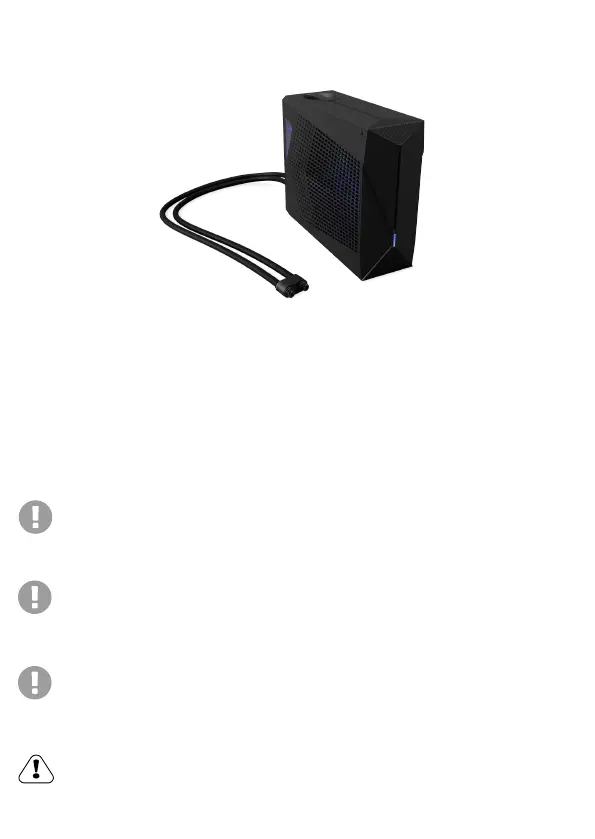
1. LPP G2 Liquid Cooling Unit
2. Liquid Tube Pipes with Mag-Valve Connectors*
3. DC to DC Power Cord x 1
4. Drain Tool x 1
5. Hex Key Tool × 1 (To access the side for
fan cleaning/maintenance)
6. O-Ring Spares x 6
CAUTION: Using unauthorized extension cables/tubes will invalidate your
warranty. The hex key tool is included for ease of access to clean the fan.
Modifying or tampering with the pump, radiator or fans will not be covered
under warranty.
Ambient Temp Awareness: The unit can be operated at an ambient
temperature of max. 35°C (95°F). Do not subject it to temperatures below
5°C (41°F) or above 35°C (95°F). Leaving this below freezing temperatures
will result in damage.
WARNING: The G2 is intended to be supplied power from the power supply included
with your Eluktronics laptop. The output rated
20Vdc/14A is for the RTX 4070 graphics solution or 19.5Vdc/16.9A for RTX 4080 and
RTX 4090 graphics options.
NOTE: We conduct outgoing quality control (OQC) with distilled water for each LPP
G2 unit ensuring a closed loop circuit with no leakage will occur. Some residual
liquid may remain upon receipt.


 To Next Page