Notebook Manual 25
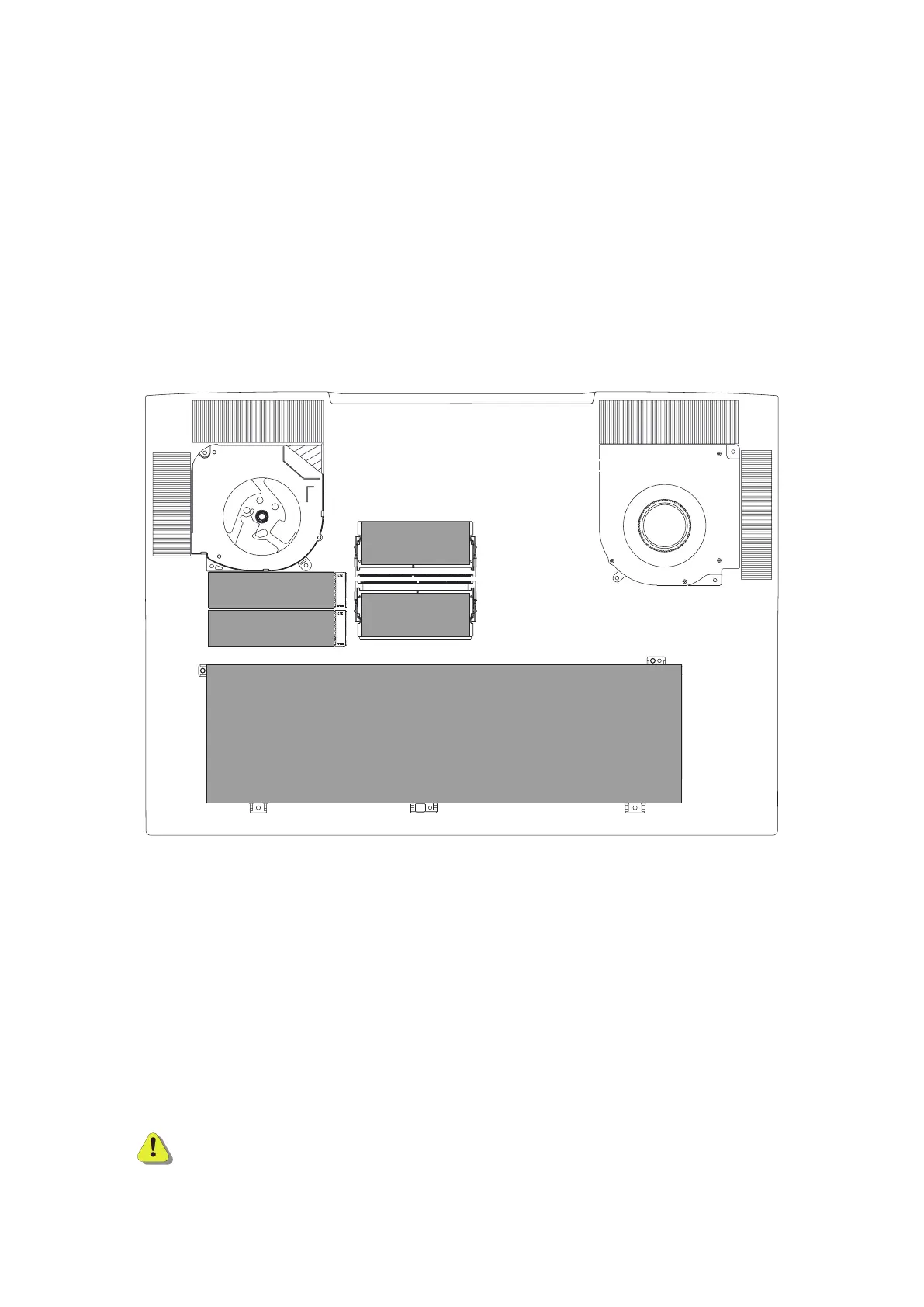
Compartment View
CAUTION: To reduce the possibility of heat-related injuries or of overheating the
computer, do not place the computer directly on your lap or obstruct
the computer air vents. Use the computer only on a hard, at surface.
Do not allow another hard surface, such as an adjoining optional
printer, or a soft surface, such as pillows or rugs or clothing, to block
airow. Also, do not allow the AC adapter to come into contact with the
skin or a soft surface, such as pillows or rugs or clothing, during
operation.
BATTERY
RAM
RAM
SSD
SSD(option)
If you have any questions regarding upgrading parts
such as memory or storage, please contact Eluktronics
customer support.


 To Next Page
 Loading...