11
PARAMETERS FOR PROGRAMMING
Coding F1 “F1 CODE” (69). As above, but as the code has
been entered, the F1 output is activated in the memory.
Coding F2 “F2 CODE” (70); As above, but as the code has
been entered the output F2 is activated in the memory. Number
of memory (F1, F2). To be programmed at will. In these two
parameters it is possible to store two different codes consisting
of 8 digits each in order to effect calls in a quick way by using the
“arrow up” and “arrow down” panel push-buttons.
“1 MEMO NUMBER” (71): Enable switchboard call: if set to = 1
enables recall of a switchboard (using “ ”).
“2 MEMO NUMBER” (72): Number in memo: if other than 0
enables the association of a number for immediate calls (using
the “ ”).
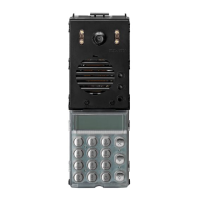
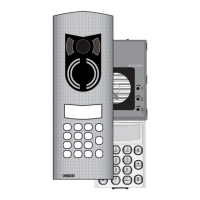
KEYPAD DESCRIPTION
Keys 0 - 9 DIAL NUMBER: serve to dial the user number for
calls and change the values of technical parame-
ters during entrance panel programming.
Key RESET: serves to cancel and interrupt each con-
versation. The key is also used to exit the techni-
cal programming phase.
Key USER CALL: serves to send the call after dialling
the number. In the technical programming phase,
the key is used to confirm the changes made and
move onto the next parameter.
If the following conditions are met, the key
can also be used to access the door release func-
tion from the entrance panel. The conditions are:
parameter "7" must be "2", the entrance panel
must not be in communication with an interphone
and the display must be OFF.
Key Asterisk key:
Conference call key, enables simultaneous com-
munication with 2 interphones/monitors and the
entrance panel. To use this function, refer to
parameter "17".
Key During the search phase from the name list, it
scrolls to the previous name.
Key During programming of the technical parameters,
enables you to move from the 1st parameter (ini-
tial user) to the 31st parameter (coded door lock).
It is also possible to assign a pre-saved number
to this key for rapid calling. In this case, the name-
tag must show the name of the corresponding
interphone.
Key During the search phase from the name list, it
scrolls to the next name.
Key During programming of the technical parameters,
enables you to move from the 1st parameter (ini-
tial user) to the 31st parameter (coded door lock).
The key is also used for calling the porter switch-
board Type 945B if the parameter "18" is enabled.
It is also possible to assign a pre-saved number
to this key for rapid calling. In this case, the name-
tag must show the name of the corresponding
interphone.
Key DOOR RELEASE FROM ENTRANCE PANEL:
If the following conditions are met, the 0 key can
also be used to access the door release function
from the entrance panel. The conditions are:
parameter "7" must be "0", the entrance panel
must not be in communication with an interphone
and the display must be OFF.
Keys and
DOOR RELEASE FROM ENTRANCE
PANEL:
If the following conditions are met, pressing keys
R and 1 simultaneously gives access to the door
release function from the entrance panel. The
conditions are: parameter "7" must be "1", the
entrance panel must not be in communication
with an interphone and the display must be OFF.
Keys and
ENTRY TO PROGRAMMING: when
pressed simultaneously, these keys give access
to the technical programming phase.
ENTRANCE PANEL OPERATION
Call from entrance panel to user; on the keypad, dial the num-
ber of the user in question and press " ". When you press
" " the entrance panel will send the call to the interphone. If
parameter "14" is enabled, the call signal sent to the interphone
will be repeated by the entrance panel receiver. On completion
of the call, the entrance panel will start to count down the reply
time (parameter 21), until the handset of the interphone is
picked up. On expiry of the time, the entrance panel will discon-
nect automatically from the interphone. If the handset is picked
up before the reply time expires, the entrance panel will go into
communication with the interphone for the full conversation time
(parameter 19). If the handset is hung up before the conversa-
tion time expires, the entrance panel will disconnect from the
interphone after about 5 seconds. To open the entrance panel
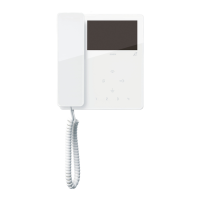
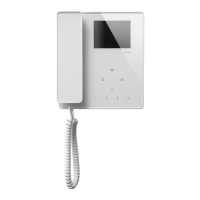
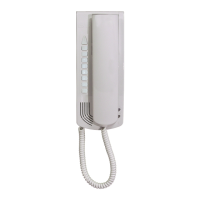
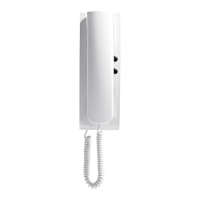
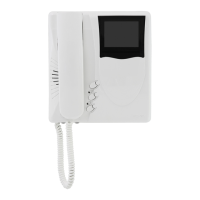
lock, from the interphone or from the monitor or from the switch-
board, press the key marked with the symbol . Bear in
mind that the lock can only be opened when the entrance panel
is in communication with an interphone or the switchboard;
whereas the auxiliary functions can be activated regardless of
whether the entrance panel is in communication or not. If you
want to interrupt any operation from the entrance panel, use the
" " key.
4
GHI
R
1
R
0
+

 To Next Page
 Loading...