12
PARAMETERS FOR PROGRAMMING
1) GENERAL OPERATION:
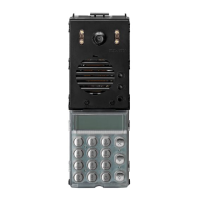
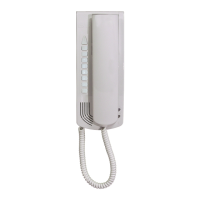
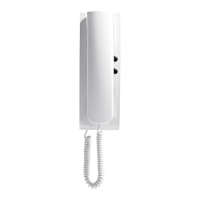
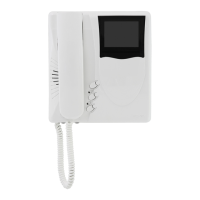
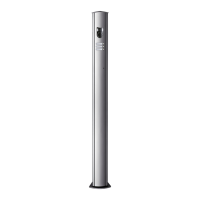
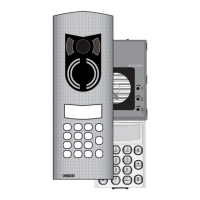
INTRODUCTION: Type 8847 (digibus video entry panel with
agenda) and type 8844 (digibus audio entry panel with agenda)
enable calls to any digibus number (exclusively for 8 digit
systems) both by entry of the number and searches of stored
numbers (in a previously memorised data-base).
The maximum number of names is approx. 600 (extendible on
request), with 16 characters available for each name (the name
can be separated into surname and name, but always within a
maximum of 16 characters). It is also possible to associate seve-
ral names to call the same number (such as the names of
husband and wife).
A number of accessory data can also be associated with each
name (see below for relative use).
- A search for names can be via sequential scroll keys (for-
ward/back) or, the faster option, by entry of the initial letter of
the name.
- Once the name is found, the user displayed can be called
immediately without having to re-enter the number.
The numerical keypad can also be used to directly enter the
required user number (if known).
- The insertion/cancellation of names may be made directly
from the key board (on entry of a password) or by means of a
software with type 6952. In this case the module is connected
to the PC serial supplied by means of a suitable interface
(type 6952) connected between terminals 4 and 1.
- The database management software, as well as enabling sim-
ple and rapid management of data, offers the following main
functions:
- Intuitive and fast use thanks to the evolved graphic interface
(similar to “Windows”)
- Entry, deletion and modification of one or more users.
- Storage of data of specific files on the PC.
- Safety: in the event of damage to the switchboard, data can
be restored at any moment with no waste of time.
- Possibility of repeating the same settings on multiple swit-
chboards without the need of re-entering the database.
- Reading of data by switchboard with recovery also of data
entered manually.
- Possibility of entering additional information as a description
(notes) [to be completed]
2) BASE STATUS:
The status in which the agenda is in the rest condition. In this
status, the display shows the following 2 messages alternately.
ENTER NUMBER
AND PRESS. .
PRESS
FOR NAME LIST
As these messages convey, these keys (which are reset each
time they are pressed and automatically at the end of each
notification) from this status the number to be called can be ente-
red directly by pressing , the user can search the agenda to
find or recall a stored number/name.
3) DIRECT ENTRY OF A NUMBER:
If the user knows the number of the internal unit to be called, this
can be entered directly via the keypad followed by the key
to make the call. A call is then made to the entered number, and
during this phase the display shows the called number indicating
the call in progress:
00000123
CALLING
After the ring tone, the panel sets to standby for an answer (by
the internal unit) displaying:
00000123
AWAITING ANSWER
When the internal unit answers the call, the first message is
replaced on display by the notification of the start of conversa-
tion:
00000123
TALKING
When the internal user replaces the handset (indicated by the
relative message) or after the key is pressed, the call can
be interrupted. This operation returns the panel to the base sta-
tus with relative message on display (see paragraph above).
4) USING THE NAME AGENDA:
To activate the “Agenda” function, from the base status, press
the key . When the key is pressed, the display shows the
stored user names for approx. ½ second and then the following
2 messages alternately every 3/4 second:
SCROLL LIST WITH
KEYS and
ENTER INITIAL
OF REQUIRED NAME
At this point the caller can scroll through the stored names (in
alphabetical order) by means of the keys and , or use
the search function to find the required name or names “nearby”.
In this search phase, the display shows the selected name with
internal number:
MICHELI PAOLO
Number=00000034
In this phase, as shown on display, for faster access to a name,
press the key with the initial letter of the name to be searched
(NB: the keypad has the alphanumeric characters described
below). When the key is pressed, the display shows the first
name with the initial entered or the letter after the one pressed.

 To Next Page
 Loading...