14
PARAMETERS FOR PROGRAMMING
KEYS TO RELEASE THE DOOR LOCK FROM THE KEYPAD:
If the entrance panel is not engaged in a conversation or is not
locked in the engaged state, indicated by the message
"ENGAGED", it is possible to release the door covered by the
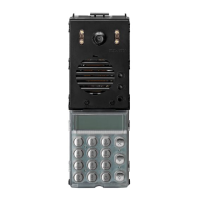
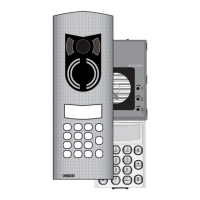
entrance panel by means of the entrance panel keypad.
On this version, the door lock can be opened (on terminal “S”) by
entering the codes directly from the keypad. The main character-
istics related to the operation are the following:
- Possibility of storing up to 38 different keys (with maximum 8
coding digits). Possibility of canceling/entering a single key
directly from the keypad.
- Possibility of managing/storing/re-establishing the key also by
means of a PC and specific software enclosed.
- During use, possibility of displaying the message (of confirma-
tion or refusal) on the alphanumeric display.
- If the code entered it is not present in the storage list, the
respective code can always be sent to the serial (different for
each entrance panel), to enable activation as to allow the pos-
sible activation of “infinite” different devices (for example
through relay 170F) also remote.
To release the door lock:
To access this function, refer to the value set in parameter 7 of
the entrance panel; if the value is 0, press " "; if the value is
1, press " " and " " simultaneously; and if the value is 2,
press " ". Before pressing the key for access to the function,
it is advisable to cancel any operation in progress, by means of
the " " key, and then use the keys indicated previously. After
activating the function on the display, the following symbols will
appear "- - - - - - - -". To release the door, enter one of the codes
recorded in parameters 31- to 68 and then press " ". Note
that the code 0000 0000 cannot be used for door release.
To store the door lock codes in the memory, proceed as fol-
lows:
- Enter the technical programming mode ( + ) followed
by the programming “password” (default value: 123)
- Scroll all parameters until you can enter the key zone (the fol-
lowing parameter is requested: “Chiave Ser.N 001”). Note: to
by-pass the scrolling of all parameters press the “doppia frec-
cia giù” (double arrow down) parameter so as to reach imme-
diately the first key).
- Scroll through to the position of the key to enter/modify (for
example “Chiave Ser.N 015” for the 15° key).
- Enter the code to store (without initial zeroes and with a maxi-
mum of 8 digits). Confirm with “ ” (bell).
- To exit programming mode press the “ ” push-button.
CODES FOR ACTIVATION OF FUNCTIONS F1 AND F2:
As well as the 38 codes mentioned above an additional 2 nume-
rical codes can be entered in the memory (max. 8
digits) which can be used for activation of the control line for fun-
ctions F1 and F2. This enables, in addition to activation of the
lock release via the keypad, activation of any connected acces-
sory functions (such as an external light and/or accessory gate).
To memorise these codes, proceed as per the lock codes; scroll
through the 38 items using key , after which the message
“CODE F1” (or “CODE F2” is displayed when the key is pressed
again). Then enter the required code and confirm by pressing
.
To activate, proceed as per the lock procedure and enter the rela-
tive code in the memory.
NB: Warning: if the entered code is the same as that in the
“code” area, only the lock will be activated.
DISPLAY LIGHTING:
While the keypad lighting is permanently activated (to enable
identification of the keypad) the display brightness
varies according to use of the panel:
- When the panel is not used, the display brightness is set to
minimum (low profile display of initial message).
- When a key is pressed and during conversations the bri-
ghtness is then set to maximum.
SPECIAL PARAMETERS TO BE PROGRAMMED:
- Error counter: parameter that counts the number of activa-
tions of the digital relay (due to short circuits on the digital line).
No programming is required, but it may be reset as necessa-
ry.
CONNECTION OF PC FOR DATA DOWNLOAD/UPLOAD:
Connect the PC serial cable by means of type 6952 to terminals
4 and 1. The length of this cable should not normally exceed a
few metres (given the transfer speed).
If the PC does not have a serial connector, the relative USB port
can be used, connected to a specific USB-RS232 adaptor. The
connection between the PC and card can be made with the
agenda correctly powered. If a connection is to be made to a
separate module (not connected), a supply voltage of 12-16 Vdc
is required between terminals 4 and 5 on the terminal board (pos-
sible from any power supply).
Wiring diagram

 To Next Page
 Loading...