15
PARAMETERS FOR PROGRAMMING
DISPLAY OF SOFTWARE VERSION:
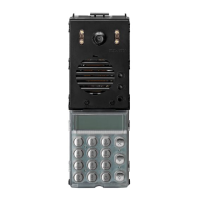
With the panel in normal operating status, press and hold keys
“1”+”2”+”3” simultaneously. This displays the date of the internal
software version (firmware): for example PG160605 means 16
June 2005.
AUTOTEST FUNCTIONS:
This is a function (for technical use) that enables the direct
display of the voltages on the 3 main lines of the bus (supply vol-
tage, audio and digital). Press keys R+3 together on the panel to
display the following message (or similar):
V5 corresponds to the supply voltage (between terminals 5 and
4)
V1 corresponds to the voltage of the digital line “to the cable riser
” (between terminals 1 and 4)
V3 corresponds to the voltage of the audio line “to the cable riser
” (between terminals 3 and 4)
The message, useful for quick analysis, is cleared automatically
after a few seconds.
During a call, if the voltage on the digital line (1) is too low (due
to a short circuit or power failure of the relative generator) the
function is activated automatically and the display shows the
relative message (indicating low voltage on the serial line):
V5=13,4 V1=11,7
V3=11,9
ERR. SER. 1 LOW

 To Next Page
 Loading...