NAVIGATION AND
COMMUNICATION
AIRPLANE
OPERATIONS
MANUAL
2-18-75
Page
16
Code
01
REVISION 39
AOM-145/1114
EM145AOM182052A.DGN
MODE
STBY
RWY
G/S
CLR DIMBRTFAULT
TEST
ENTER
123
456
789
0
H
G
S
PRI
IMC A
L 10000’
−3.00
III
3
2
1
12
111098
7
6
5
4
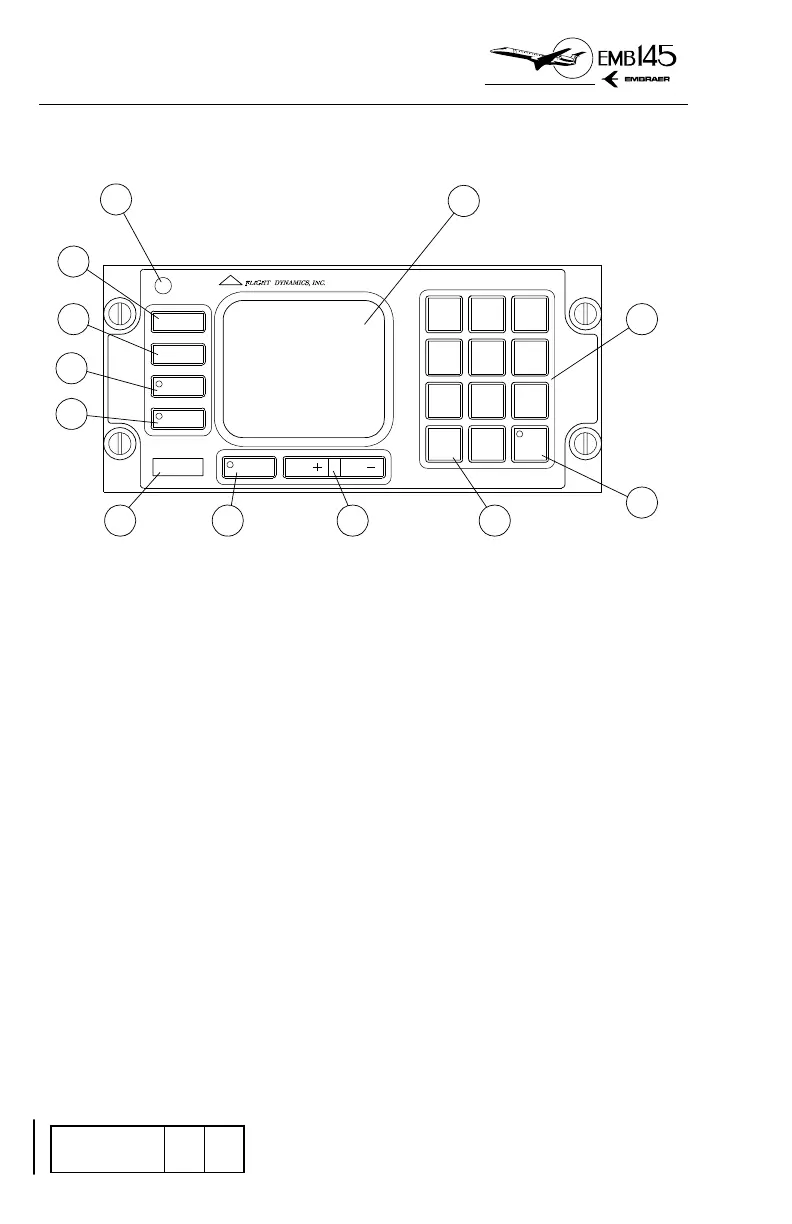
HGS CONTROL PANEL (HCP)
COMBINER
1 - BRIGHTNESS CONTROL KNOB
− Press the knob in to select MANUAL brightness mode.
− Rotating the knob clockwise increases display intensity.
Rotating counterclockwise decreases display intensity. In this
mode the intensity remains constant at the level selected by
the pilot.
− Pull the knob out to select AUTOMATIC brightness mode.
− The pilot adjusts display to desired brightness level as
described above and OHU automatically changes it to
maintain a constant contrast ratio.
2 - RELEASE LEVER
− Press the Release Lever to unstow Combiner.
3 - AMBIENT LIGHT SENSOR
− Monitors the external lighting conditions to the Automatic
Brightness Control.



 To Next Page