Event Source Log Configuration Guide
Add the SNMP Event Source Type:
1.
In the RSA NetWitness Suite menu, select Administration > Services.
2.
In the Services grid, select a Log Collector service.
3.
Click under Actions and select View > Config.
4.
In the Log Collector Event Sources tab, select SNMP/Config from the drop-down
menu.
The Sources panel is displayed with the existing sources, if any.
5.
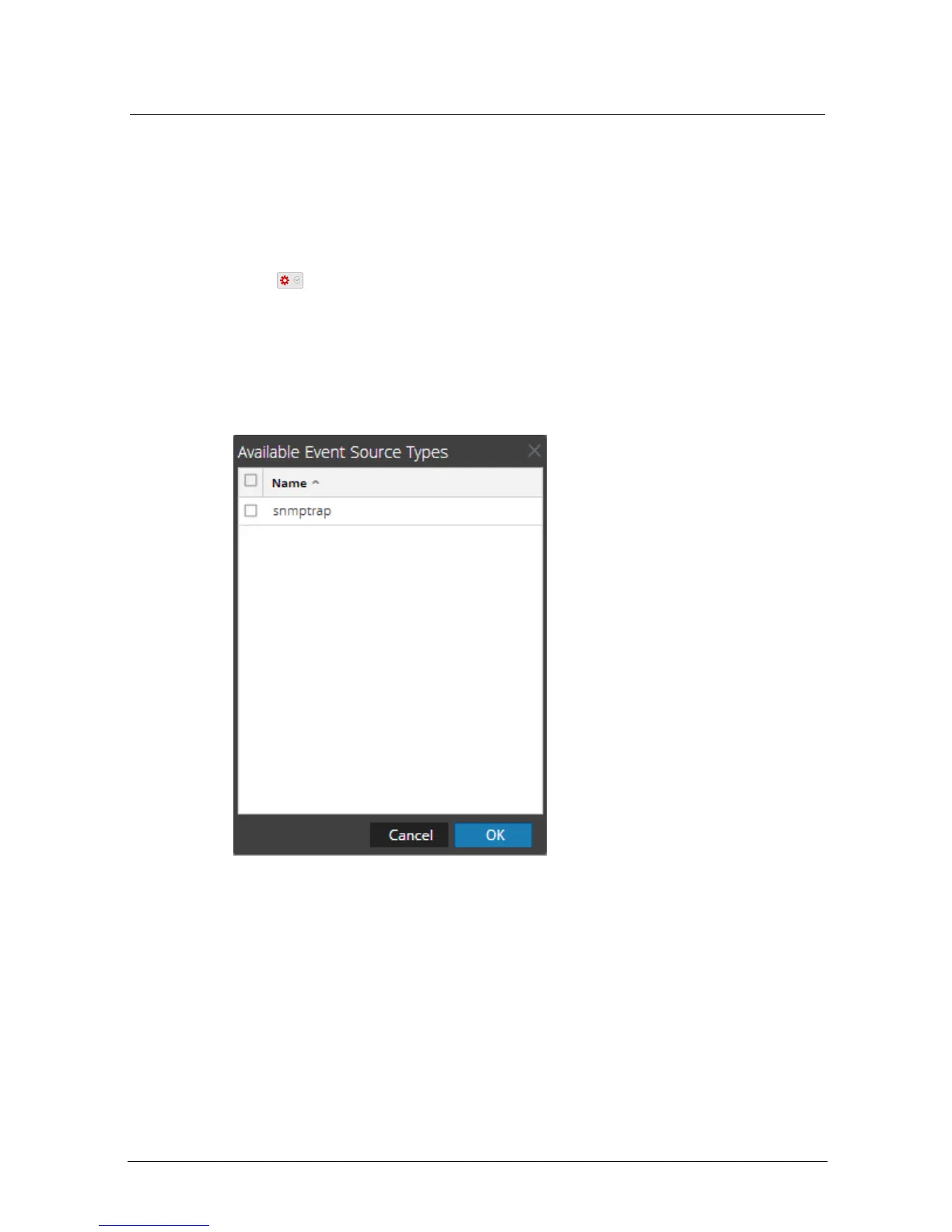
Click + to open the Available Event Source Types dialog.
6.
Select snmptrap from the Available Event Source Types dialog and click OK.
7.
Select snmptrap in the Event Categories panel.
8.
Select snmptrap in the Sources panel and then click the Edit icon to edit the
parameters.
Add the SNMP Event Source Type
3


 To Next Page