i. Set the Default gateway to 10.99.99.5.
j. Click OK to close the Internet Protocol Version 4 (TCP/IPv4) Properties sheet.
k. Click OK to close the Local Area Connection Properties sheet.
l. Using an Ethernet Cat6 cable, connect the laptop to the eth7 network interface
(NIC8 port).
m. At a Windows command prompt, type ipconfig to ensure that the new IP
address is active.
If not, right-click Local Area Connection and disable it, then re-enable it.
4. Using PuTTY, open a connection to the Avamar service port (10.99.99.5).
5. Log in as the root user.
6. Open the YaST Linux configuration application by typing:
yast
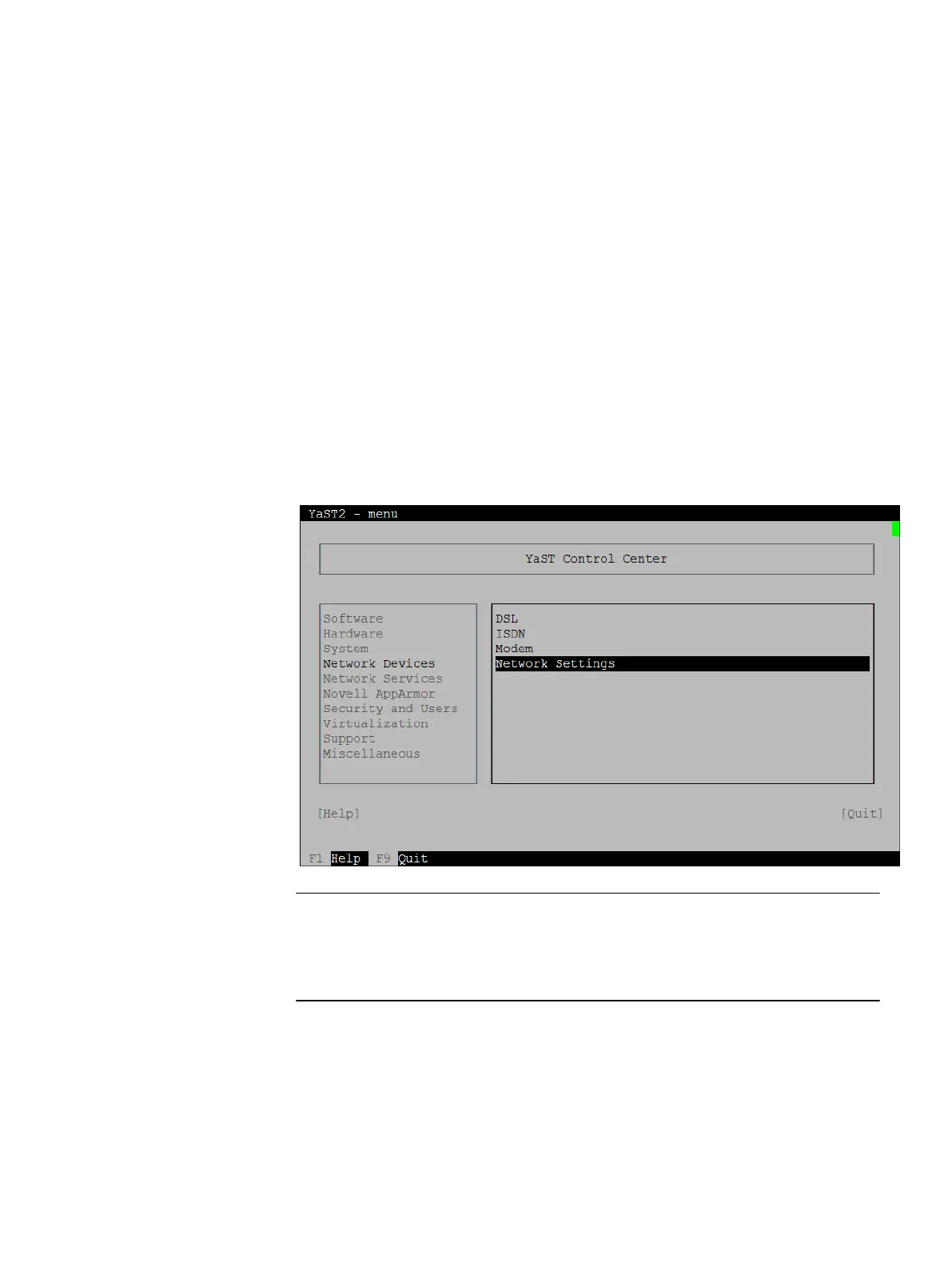
The YaST Control Center appears.
Figure 20 YaST Control Center
In YaST, use the Tab key to move to an option. Correct typing errors or replace default
settings by using the Backspace key. To select a checkbox (a set of parentheses),
press the spacebar.
7. Use the down-arrow to highlight Network Devices, the right arrow to move to the box
on the right, and the down-arrow to highlight Network Settings, and then press
Enter.
The Network Settings screen appears.
System Preparation
Preparing the server for software installation 45


 To Next Page