29. Tab to Domain Search.
30. Use the right arrow to move the cursor to the end of the default entry and delete the
default domain name.
31. Type the correct domain name to be searched.
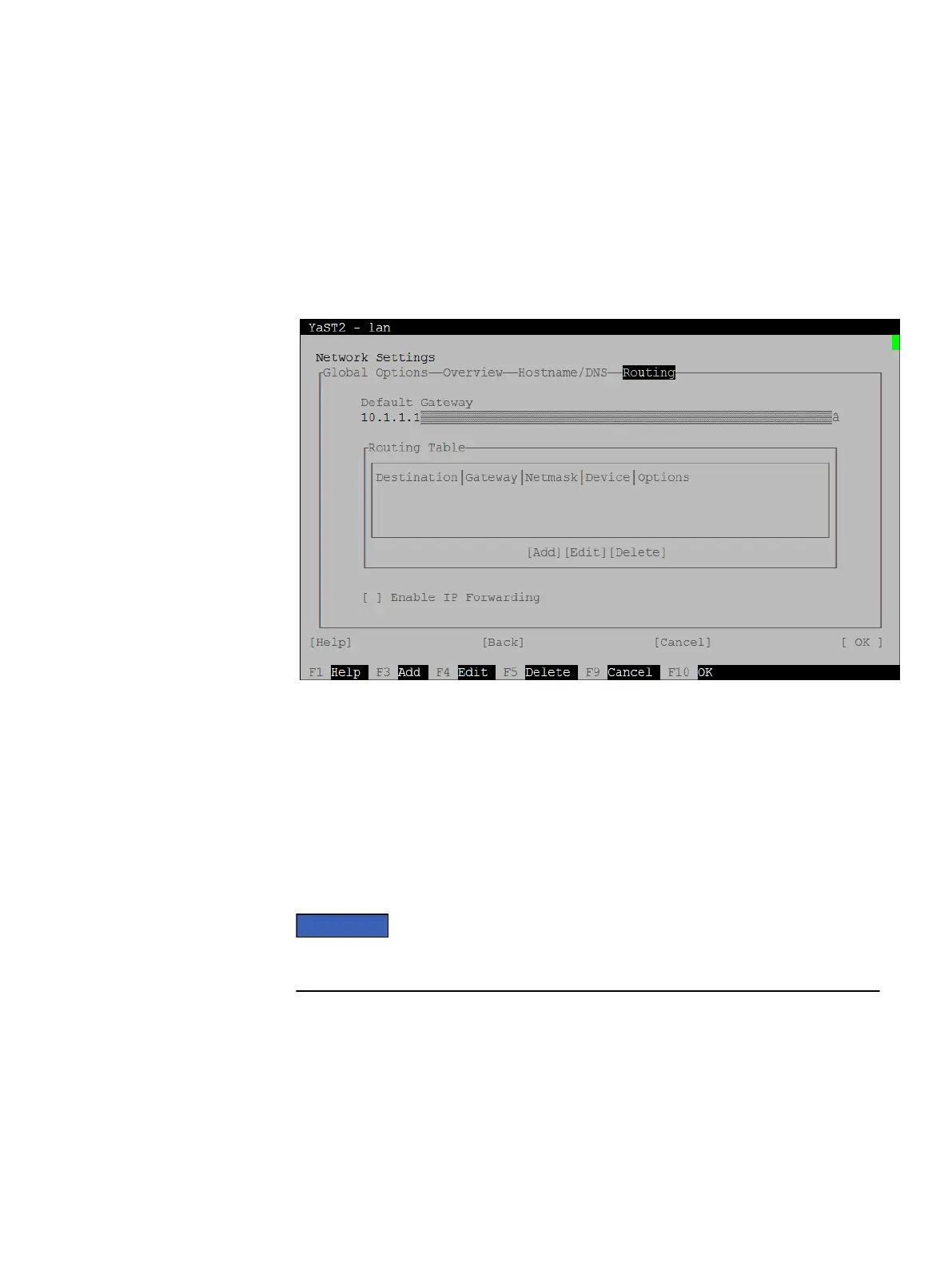
32. Tab to the top menu and use the right arrow to select Routing.
The Network Settings-Routing screen appears and Default Gateway should be
highlighted.
Figure 24 YaST Network Settings - Routing
33. Type the default gateway address.
34. Tab to OK at the lower right of the screen and press Enter.
The Network Settings screen closes and a saving configuration information message
is displayed.
35. In the YaST Control Center, tab to Quit at the lower right of the screen and press
Enter.
36. Connect cabling from the primary backup network port to the customer network
switch, and replication and management network cabling, if used.
Do not connect cabling for high-availability ports at this time. Doing so can cause
serious disruptions to the customer network.
37. Use WinSCP to copy the following files from your computer to the /usr/local/
avamar/src/ directory:
l
AvamarBundle_SLES11_64-<version>.zip
l
AvamarBundle_SLES11_64-<version>.zip.md5sum
where
<version>
is the version of the Avamar software to be installed.
38. Disconnect the Ethernet cable from the eth7 (NIC8) port.
System Preparation
48 EMC Avamar Data Store Gen4S Customer Installation Guide


 To Next Page