English 04
Charge
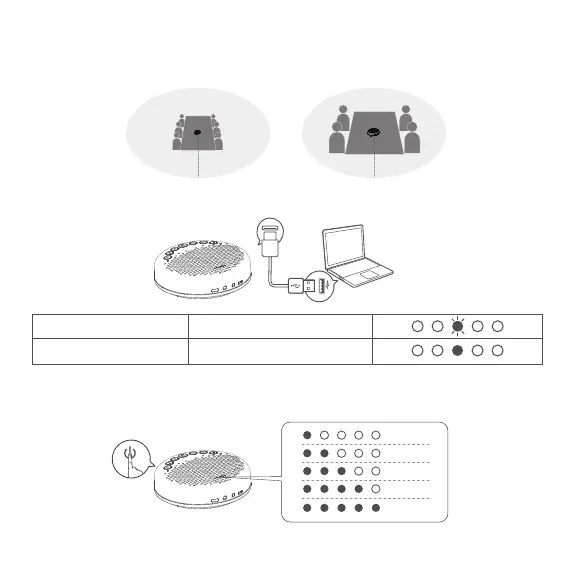
Check Battery Level
Fully charged in power-o state
Charging in power-o state
Yellow-green LED indicator flashing
Yellow-green LED indicator always on
Turning on VoiceIA noise reduction can greatly reduce some noises in the meeting scene, such as from keyboard
tapping, air conditioning noise, and general unwanted background noise
In the Power-on state, short press the power button to check the current battery level.
·Note : After the noise reduction mode is enabled, in order to maintain good sound pickup eect, please make a call within a sound pickup
range of 1.5 m(4.9ft).
3m(9.8ft) 1.5m(4.9ft)
VoiceIA OFF VoiceIA ON
®
®
®
5%
25%
50%
75%
100%


 To Next Page