3
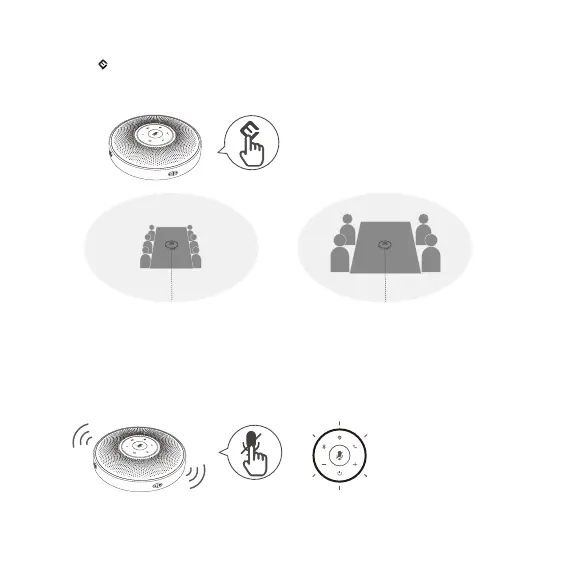
VoiceIA Button
MIC Mute Button
Turn on/o VoiceIA intelligent
noise reduction.
When the MIC is muted, the
Status LED turns red
3m(9.8ft) 1.5m(4.9ft)
VoiceIA OFF VoiceIA ON
® ®
Press
Press
mute/unmute MIC
Note : After the noise reduction mode is enabled, in order to maintain good sound pickup eect, please make a call within a sound pick-
up range of 1.5 m(4.9ft).
Short press “ ”AI Noise Reduction button to enable/disable AI noise function.
Turning on VoiceIA noise reduction can greatly reduce some noises in the meeting scene, such as from keyb-
oard tapping, air conditioning noise, and general unwanted background noise.
®


 To Next Page