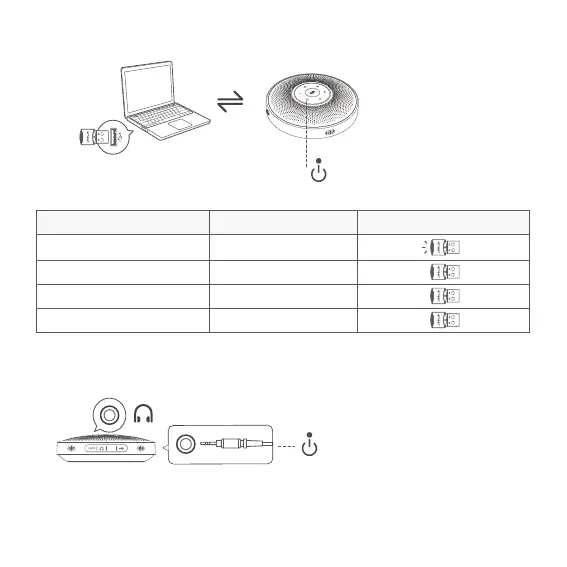
Connect to your computer
by using a USB Dongle.
6
Note: When the headset is connected, the speaker is automatically muted.
USB Dongle Connection
Headset Connection
3.5mm
The Source LED turns blue when
USB Dongle is connected.
When the headset is connected,
the Source LED turns yellow.
LINK
Connect to the headset jack using a 3.5mm headset cable.
Dongle LED LEDDongle status
Pairing
Pairing successful
Call going
Microphone muted
Steady blue
Green
Steady red
Flashes blue


 To Next Page