EasyManua.ls Logo

Emerson CK5250 - User Manual

Emerson CK5250
17 pages
Print Icon
To Next Page IconTo Next Page
Loading...
OWNER'S MANUAL
LARGE DISPLAY
AM / FM CLOCK RADIO
with DUAL ALARMS
and NAP TIMER
CK5250
Visit our web site at www.emersonradio.com
CK5250_ib043003.p65 30/4/2003, 16:2917
Question and Answer IconNeed help?

Do you have a question about the Emerson CK5250 and is the answer not in the manual?

Summary

Important Safety Instructions

Safety Guidelines and Warnings

Provides essential safety guidelines, warnings, and precautions for operating the appliance.

Important Notes and FCC Information

General Usage Precautions

Lists crucial notes for proper installation and operation, avoiding extreme conditions.

FCC Compliance Details

Outlines the device's compliance with FCC rules for radio frequency energy.

Preparation for Use

Unpacking, Setup, and Battery Backup

Details on unpacking, initial setup, and the Sure-Alarm battery backup system functionality.

Power and Battery Management

Battery Installation, Failure Indicator, and Power Source

Instructions for battery installation, understanding power failure indicators, and proper power source connection.

Location of Controls and Indicators

Device Control Identification

Identifies and describes all physical controls, buttons, and indicators on the clock radio.

Clock Operation

Setting the Clock

Step-by-step guide on how to set the current time on the clock radio.

Alarm Settings and Functions

Setting and Checking Wake-Up Times

Instructions for setting dual alarms and checking programmed wake-up times.

Radio Features

Listening to the Radio

Procedure for tuning into AM/FM stations and adjusting volume for listening.

Antenna Information

Guidance on optimizing AM and FM reception using built-in antennas.

Alarm Wake Modes

Wake to Radio Operation

How to set an alarm to wake the user with the radio.

Wake to Buzzer Operation

How to set an alarm to wake the user with a buzzer sound.

Additional Features

Snooze Alarm Functionality

Explanation of how the snooze feature works to temporarily silence the alarm.

Nap Timer

Setting and Using the Nap Timer

Instructions for setting a timer to wake up after a short nap.

Sleep and Display Settings

Sleep to Music Timer

How to program the radio to play music for a set duration before shutting off.

Dimmer Control Adjustment

Instructions for adjusting the brightness of the clock display.

Care and Maintenance

Cleaning and Service Support

Guidelines for cleaning the unit and information on obtaining service or assistance.

Limited Warranty

Warranty Terms and Conditions

Details the warranty period, coverage, and procedures for repair or replacement.

Overview

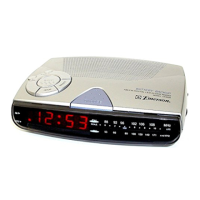
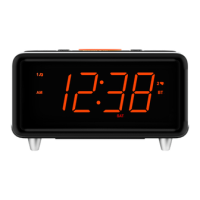
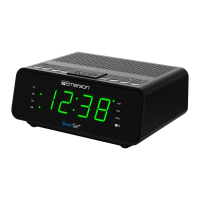
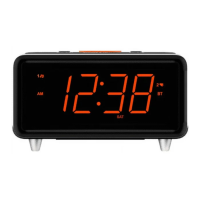
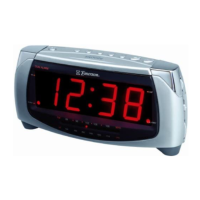
This document describes the Emerson CK5250 Large Display AM/FM Clock Radio with Dual Alarms and NAP Timer.

Function Description:

The Emerson CK5250 is a clock radio designed for easy visibility and user-friendly operation. Its primary functions include:

  • Clock Display: Features an extra-large LED display for high visibility, showing the current time.
  • AM/FM Radio: Allows tuning to AM and FM radio stations. The FM antenna is integrated into the AC power cord, requiring it to be fully extended for optimal reception. The AM antenna is internal, and reception can be improved by adjusting the radio's position.
  • Dual Alarms: Equipped with two independent alarms (Alarm 1 and Alarm 2) that can be set to wake the user to either radio or a buzzer sound. This allows for flexible scheduling, such as different wake-up times for weekdays and weekends, or for two different users.
  • NAP Timer: A programmable timer for short naps, allowing users to set an alarm for up to 99 minutes without affecting the main alarm settings.
  • Sleep to Music Timer: Allows the radio to play for a set duration (up to 99 minutes) and then automatically shut off, useful for falling asleep to music.
  • Sure-Alarm Battery Back-Up System: Maintains time and alarm settings during temporary power interruptions using a 9-volt battery (not included). If a power outage occurs at the wake-up time, the system will still activate the radio or buzzer alarm if the battery is installed and has sufficient power.
  • Power Failure Indicator: If the battery is weak or absent during a power interruption, the clock display will flash "12:00" PM upon power restoration, indicating that the time and alarm settings need to be reset.

Important Technical Specifications:

  • Power Source: Operates on normal 120V 60Hz AC power only. It uses a polarized AC plug for safety, which has one blade wider than the other and will only fit into a polarized AC outlet.
  • Battery Back-Up: Requires one 9-volt alkaline battery for the Sure-Alarm system.
  • Display: Extra-large LED display with a DIMMER switch (HI/LO) to adjust brightness.
  • Alarm Duration: Both radio and buzzer alarms, as well as the Nap Timer buzzer, will sound for one hour before automatically shutting off if not manually stopped.
  • Snooze Function: Provides approximately 9 minutes of additional sleep after an alarm sounds. When activated, the display temporarily shows minutes and seconds.

Usage Features:

  • Setting the Clock:
    1. Connect the radio to an AC outlet; the display will flash "12:00" PM.
    2. Press and release the TIME button to stop flashing.
    3. Depress the TIME button along with either the FWD (forward) or REV (reverse) buttons for at least two seconds to rapidly adjust the time.
    4. Release and then repeatedly press FWD or REV to adjust minute by minute until the correct time is displayed.
    5. Observe the AM indicator: 'On' for AM, 'Off' for PM.
  • Setting Wake-Up Times (Alarm 1 and Alarm 2):
    1. Depress and hold either the ALM 1 or ALM 2 setting button; the display will show the respective alarm time.
    2. While holding the alarm setting button, depress and hold FWD or REV for at least two seconds to rapidly adjust the wake-up time.
    3. Release and then repeatedly press FWD or REV to adjust minute by minute.
    4. Observe the AM indicator for AM/PM setting.
    5. To check wake-up times, simply press the ALM 1 or ALM 2 setting buttons.
  • Waking to Radio:
    1. Turn the radio ON, select the desired band (AM/FM), station, and volume, then turn the radio OFF.
    2. Confirm wake-up time settings for the chosen alarm(s).
    3. Set the ALM (Alarm) selector switch(es) to 'RADIO'. The corresponding ALARM 1 and/or ALARM 2 indicators will light.
    4. The radio will turn on at the set time, play for one hour, and then shut off.
    5. To stop sooner, press the RADIO ON/OFF button. The alarm remains set for the next day.
    6. To cancel the alarm for the next day, set the ALM selector to 'OFF'.
  • Waking to Buzzer:
    1. Confirm wake-up time settings for the chosen alarm(s).
    2. Set the ALM (Alarm) selector switch(es) to 'BUZZER'. The corresponding ALARM 1 and/or ALARM 2 indicators will light.
    3. The buzzer will sound at the set time, continue for one hour, and then shut off.
    4. To stop sooner, press the RADIO ON/OFF button. The alarm remains set for the next day.
    5. To cancel the alarm for the next day, set the ALM selector to 'OFF'.
  • Snooze Alarm: Press the SNOOZE Bar after an alarm sounds for approximately 9 minutes of extra sleep. The alarm will then reactivate.
  • Setting the Nap Timer:
    1. Depress the NAP button. The display will show "n 30" (30 minutes) and the NAP indicator will light.
    2. To adjust the nap duration (1 to 99 minutes), depress and hold the NAP button, and repeatedly press FWD or REV. The new setting becomes the default.
    3. The buzzer alarm will sound when the timer counts down to "00".
    4. Press the SNOOZE button to shut off the buzzer. If not stopped, it will sound for one hour.
    5. To cancel the Nap Timer before it sounds, press the SNOOZE button; the NAP indicator will turn off.
  • Sleep to Music Timer:
    1. Depress the SLEEP button. The display will show "L 30" (30 minutes), and the radio will turn on.
    2. To adjust the sleep duration (1 to 99 minutes), depress and hold the SLEEP button, and repeatedly press FWD or REV. The new setting becomes the default.
    3. The radio will shut off automatically when the timer counts down to "00".
    4. To cancel the Sleep Timer early, press the SNOOZE button.
  • Dimmer Control: A DIMMER switch (HI/LO) is available to adjust the brightness of the clock display.

Maintenance Features:

  • No User Serviceable Parts: The manual explicitly states that there are no user-serviceable parts inside the radio and all service problems should be referred to a qualified service facility.
  • Cleaning:
    • For dusty cabinets, wipe the exterior with a soft dust cloth only. Avoid dusting sprays or polishes.
    • For dirty or smudged cabinets, wipe with a soft cloth slightly dampened with a mild soap and water solution.
    • Always disconnect the power cord from the AC outlet before cleaning.
    • Never allow any liquid to get inside the cabinet.
  • Power Cord Disconnection Note: If the power cord is disconnected for cleaning and there is no battery in the back-up compartment, the Time and Alarm settings will be lost and will need to be reset upon reconnection.
  • Warranty Information: The product comes with a ninety (90) day limited warranty covering manufacturing defects in original material and workmanship. Service or replacement is provided at an authorized Depot Repair Facility. Customers are instructed to pack the unit in a padded box, include a check or money order for $5.00 (for shipping and handling, not required for California residents), and a copy of the proof of purchase, then send it to Emerson Radio Corp. Consumer Affairs Dept. The warranty does not cover damage from negligence, misuse, abuse, accident, failure to follow operating instructions, commercial use, rental, unauthorized repairs, or products damaged outside the U.S.
  • Customer Support: Toll-free numbers are provided for locating service centers (1-800-695-0098) and for additional set-up or operating assistance (1-800-898-9020). A mailing address for customer service is also provided.

Emerson CK5250 Specifications

General IconGeneral
BrandEmerson
ModelCK5250
CategoryClock Radio
LanguageEnglish

Related product manuals