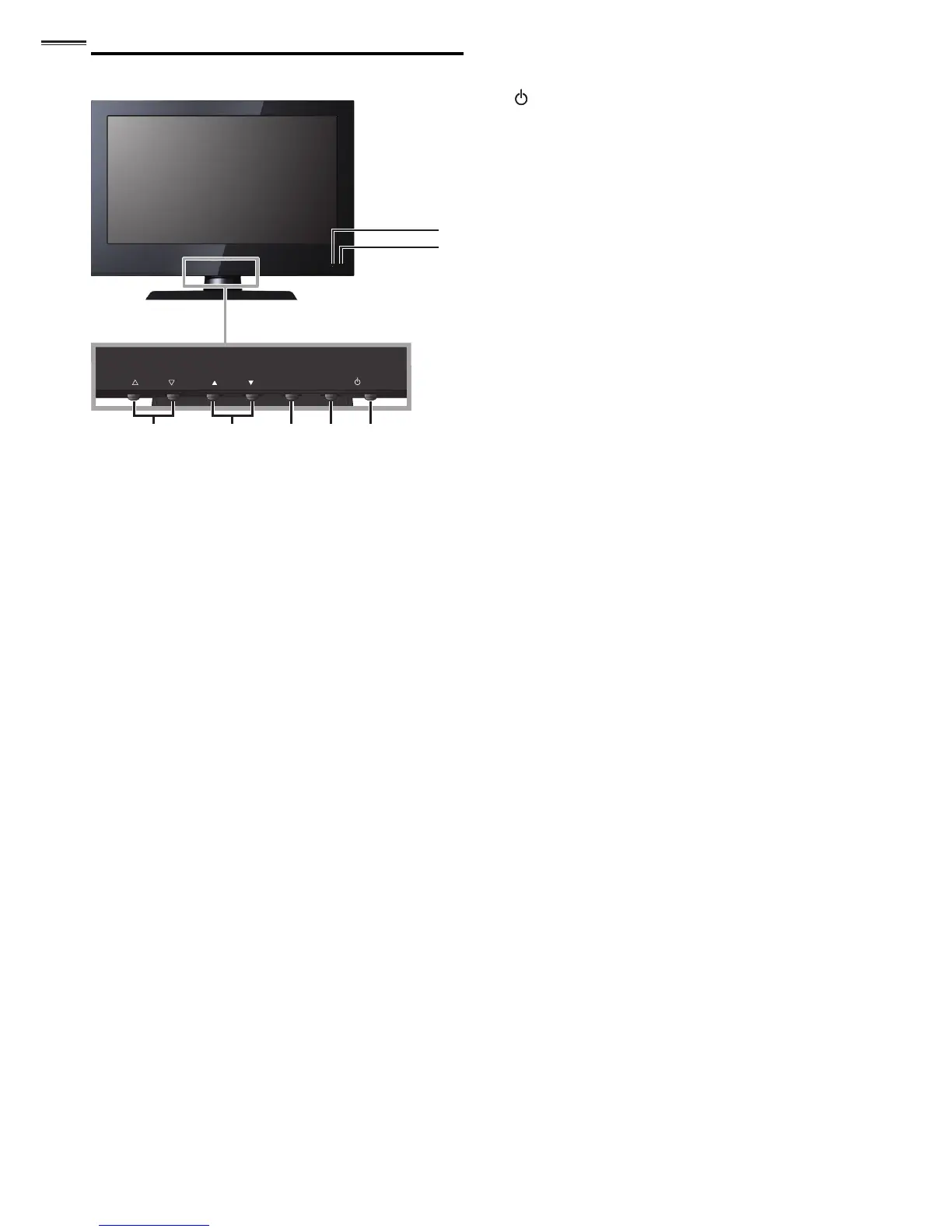
45 123
6
7
1 POWER
➠
p. 11
Press to turn the unit on and go into standby mode.
To completely turn off the unit, you must unplug the AC
power cord.
2 SOURCE
➠
p. 12
3 MENU
➠
p. 15
4 CHANNEL ▲/▼
➠
p. 13
Press to select channels or move up (▲
) / down (▼
)
through the main menu items.
5 VOLUME ▲/▼
➠
p. 12
Press to adjust the volume up /down or move right
(
▲
) / left (
▼
) through the main menu items.
6 Standby indicator
Lights up red when the unit is in standby mode and
fl ashes when the unit goes into standby mode.
7 Infrared sensor window
Receives infrared rays transmitted from the remote
control.



 To Next Page