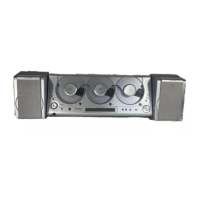
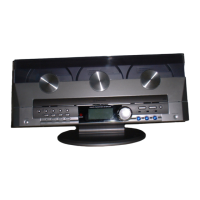
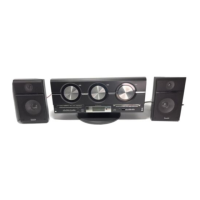
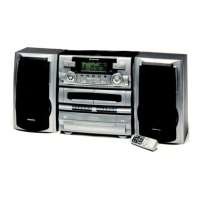
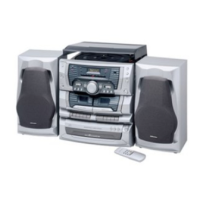
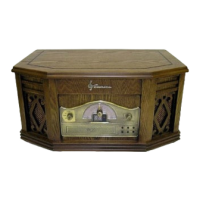
The Emerson MS3106 is a home audio system featuring a 3-CD changer and a digital AM/FM receiver. It is designed for tabletop, desk-top, or shelf operation, and can also be wall-mounted.
Function Description:
The MS3106 allows users to listen to compact discs (CDs), AM/FM radio, and external audio sources connected via the AUX IN jacks. It supports playback of normal CDs, most CD-R, and CD-RW discs. The 3-CD changer enables continuous playback across multiple discs. The digital AM/FM receiver offers automatic and manual tuning, as well as the ability to preset up to 40 stations (20 AM and 20 FM) for quick recall.
The system includes a graphic equalizer (EQ) with four tonal shapes: ROCK, CLASSIC, POP, and FLAT, allowing users to customize the sound character. It also features a clock with AM/PM indication, a sleep timer, and a daily timer function to automatically switch the unit on and off at set times, playing a selected radio station or CD. The display features a color-changing mode that can be turned on or off.
Important Technical Specifications:
- Power Source: 120V AC 60Hz.
- CD Compatibility: Normal CDs, most CD-R, and CD-RW discs.
- Radio Bands: AM/FM.
- Preset Stations: Up to 40 (20 AM, 20 FM).
- Programmable CD Tracks: Up to 60 tracks across 3 discs.
- Sleep Timer: Up to 90 minutes (adjustable in 10-minute increments).
- Remote Control Range: Approximately 15 feet, with an effective operating angle of approximately 15 degrees to the left or right of 'dead center'.
- Speaker Terminals: Red (+) and black (-) terminals.
- Audio Inputs/Outputs: AUX IN L/R jacks, LINE OUT L/R jacks, PHONES jack (stereo headphones).
- Antenna: Lead wire FM antenna.
- Laser Product: Class 1 Laser Product.
Usage Features:
- Power On/Off: The unit can be switched on or off using the POWER/STANDBY button on the front panel or remote control. When in standby, a red light indicates it's plugged in but not active.
- Clock Setting: The clock can be set by pressing the AUX button, then using the TIME-SET/MEMORY button and skip buttons to adjust hours and minutes. The AM/PM indicator is crucial for correct time setting.
- Source Selection: Users can select between CD, Tuner (radio), or AUX (external input) using the CD/DISC SKIP, TUNER/BAND, or AUX buttons.
- Volume Control: Volume is adjusted using the VOLUME ▲UP/▼DOWN buttons. The MUTE button on the remote temporarily silences the sound.
- Headphones: A PHONES jack is provided for private listening, automatically switching off the speakers when headphones are plugged in. Users are advised to reduce volume before putting on headphones.
- CD Playback:
- The CD door opens via the OPEN/CLOSE button.
- The system is shipped with three dummy paper CDs that must be removed before use.
- Up to 3 CDs can be inserted with the label side facing outward, pressing gently to seat them on the spindles.
- Playback starts with the PLAY/PAUSE II button or by selecting a specific disc (CD1, CD2, CD3 buttons).
- Playback continues sequentially across all loaded discs until all tracks are played.
- The STOP button halts playback.
- Discs are removed by opening the door and gently lifting them from the spindle.
- CD Navigation:
- SKIP-Rev/Search and Skip-Fwd/Search buttons allow skipping tracks or searching within a track.
- Direct track selection is possible via the remote control's number buttons, including "+10" for tracks 10-19 and higher.
- Repeat Playback: The PRESET-DOWN/REPEAT button cycles through repeat modes: All discs repeat, One disc repeat, or One track repeat.
- Random Playback: The PRESET-UP/RANDOM button enables random playback for one disc or all discs.
- Programmed Playback: Up to 60 tracks from 3 discs can be programmed for playback in a desired order. This requires stopping current playback before programming. The program remains in memory even if the unit is switched off or source is changed.
- Program Editing: Tracks can be changed, deleted (by setting track number to "00"), or added within the program memory.
- Program Repeat: The programmed sequence can be continuously repeated.
- Timer Function: Allows setting a daily "on" and "off" time with a selected radio station or CD program. The TIMER button activates or deactivates the timer.
- Sleep Timer: The SLEEP button activates a countdown timer (up to 90 minutes) after which the unit will switch off.
- Display Features: The LCD displays time, radio frequency, track number, elapsed playing time, and remaining time, cycling through these modes with the TIME MODE/REMAIN button. The color-changing feature can be toggled with the COLOR button.
Maintenance Features:
- Cleaning: The unit should be cleaned with a dry cloth. Chemical solvents, wax, polish sprays, or abrasive cleaners should not be used on the cabinet. Water or other liquids should not enter the unit.
- CD Care:
- CDs should be handled by the edges.
- Fingerprints and dust should be wiped off with a soft, lint-free, dry cloth, wiping in a straight line from the inside to the outside.
- Detergents or abrasive cleaners should not be used on CDs; a CD cleaning kit is recommended if necessary.
- Labels should not be written on or affixed to CDs.
- Battery Replacement (Remote Control): The remote requires 2 "AAA" alkaline batteries. Batteries should be inserted observing polarity. If the remote becomes intermittent, batteries should be replaced. Battery precautions include using specified type, correct polarity, not mixing old/new or different types, removing batteries during long periods of disuse, and not recharging non-rechargeable batteries.
- Placement: Avoid direct sunlight, heat sources, dusty areas, and humid/moist environments. Ensure proper ventilation (at least 3 inches clearance above the unit if in a bookshelf/cabinet). Non-skid rubber feet are provided, but self-adhesive felt pads are recommended for fine wooden furniture to prevent marks.
- Wall Mounting:
- The plastic legs must be removed for wall mounting.
- Wall mounting hardware is not included; appropriate anchors for the wall type (solid-wall, hollow-wall, wood) must be purchased.
- Tools required: electric drill, hammer, screwdriver.
- Careful planning is needed to ensure the AC power cord can hang straight down to an outlet (or an extension cord on the floor, not above).
- A template is provided for marking drill holes.
- Users are warned to check for pipes, wires, or other hazards behind the wall before drilling.
- The unit should be mounted at a convenient height for changing CDs, allowing at least 3 inches clearance for the CD door to open fully without obstruction.
- Speaker wires should be managed and concealed if desired (plastic cord covers can be purchased separately).

 Need help?
 General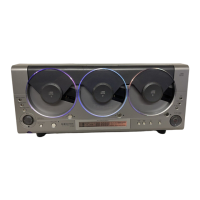

 To Next Page