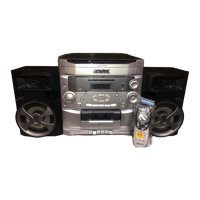
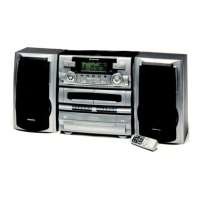
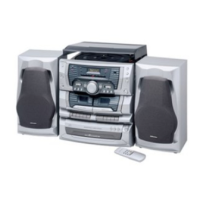
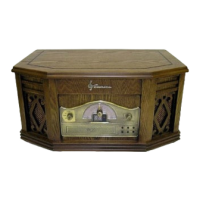
Need help?
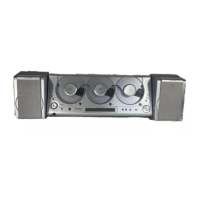
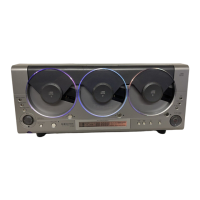
Do you have a question about the Emerson MS3100 and is the answer not in the manual?
Important safety precautions, warnings, and attention notices for product operation and maintenance.
Information regarding the Class 1 Laser Product classification and associated cautions.
Details on FCC compliance, radio frequency energy, and interference handling procedures.
Instructions for unpacking the unit, removing labels, and retaining packing materials.
Details on the unit's power source requirements and polarized plug safety feature.
Precautions to follow when using batteries in the device to prevent damage or injury.
Instructions for shelf mounting the unit, including placement and clearance requirements.
Guide to connecting speakers and optional auxiliary or recording equipment.
Guidance on positioning the FM antenna wire for optimal reception.
Steps for installing batteries in the remote control and troubleshooting low battery issues.
Instructions on plugging in the unit and indicators for standby and power-on states.
Information on how to clean the unit and speakers, and maintenance recommendations.
Step-by-step guide to setting the clock time using the unit's buttons and display indicators.
Overview of operating general functions via the remote control and front panel.
Instructions on how to choose between CD, FM/AM radio, or auxiliary input sources.
How to adjust the volume and use the mute function, including mute indicators.
Instructions for connecting headphones for private listening and automatic speaker deactivation.
Explanation of the graphic equalizer function and its available tonal shapes.
How to switch the unit off to standby mode and considerations for unplugging the unit.
Overview of operating CD functions via the remote control.
Procedure for loading and removing discs, including handling precautions and door operation.
Steps to play a single disc, including selecting the disc and starting playback.
How to change tracks using skip buttons or direct track number selection with +10 button.
How to search within tracks using the fast forward/rewind buttons.
Instructions for pausing playback and stopping the disc playback.
How to set repeat modes for all discs, one disc, or one track and how to cancel repeat.
How to select random play mode for all discs or one disc and how to cancel random play.
Instructions for loading multiple discs and selecting the starting disc for playback.
Guide to programming a custom sequence of tracks from loaded discs.
Instructions for changing, deleting, or adding tracks to a programmed selection.
How to stop playback and clear the entire programmed selection of tracks.
Function to play the first 10 seconds of each track for scanning purposes.
Information on how the display shows total playing time, elapsed time, and remaining time.
How to instantly play a disc while listening to radio or auxiliary input.
Overview of operating radio functions via the remote control.
Methods for tuning into radio stations, including scanning and manual frequency adjustment.
Procedure for storing up to 20 radio stations on each band for quick access.
How to select previously stored radio stations using memory or number keys.
How to switch FM reception between mono and stereo modes for better sound quality.
How to display the current time using the MODE button.
Step-by-step guide to setting automatic timer on and off times for the unit.
How to disable the timer function while retaining its settings.
Instructions for activating and cancelling the sleep timer function.
Guidelines for proper handling, cleaning, and care of compact discs.
Instructions for cleaning the main unit and speaker cabinets using a soft cloth.
Key precautions and recommendations for safely mounting the unit on a wall.
Steps for using the template to mark and drill holes for wall mounting.
Detailed steps for drilling holes and installing wall anchors for secure mounting.
Instructions for securing the main unit and speakers to the wall using screws and anchors.
Details on what manufacturing defects and parts are covered by the limited warranty.
Specifies the duration of the limited warranty and Emerson's commitment to service.
Procedure for initiating a warranty claim, including contact information and shipping instructions.
Lists exclusions from warranty coverage and limitations on implied warranties.
Explanation of how state laws grant specific legal rights and may vary warranty interpretations.
 General
| Brand | Emerson |
|---|---|
| Model | MS3100 |
| Category | Stereo System |
| Language | English |


 To Next Page