EasyManua.ls Logo

Emerson MW9113SS - User Manual

Emerson MW9113SS
30 pages
Print Icon
To Next Page IconTo Next Page
Loading...
®
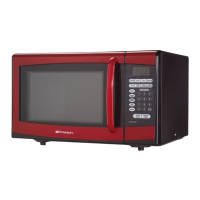
1000W MICROWAVE OVEN
OWNER’S MANUAL
Visit our web site at “www.emersonradio.com”
UNAUTHORIZED MODIFICATIONS TO THIS DEVICE COULD VOID THE USER'S AUTHORITY TO OPERATE IT.
MW9113SS / MW9117W / MW9117B
Question and Answer IconNeed help?

Do you have a question about the Emerson MW9113SS and is the answer not in the manual?

Summary

Precautions for Microwave Energy Exposure

Important Safety Instructions

Safety Precautions

Grounding Instructions

Installation

Care of Your Microwave Oven

Roller Guide Maintenance

Cleaning and usage of the roller guide for the glass tray.

Glass Tray Handling

Proper use and care of the glass cooking tray.

Safe Microwave Oven Usage

Location of Controls

Microwave Operation

Power Level Settings

Adjusting the microwave power output from 10% to 100%.

Setting the Clock

How to set the current time on the microwave display.

Microwave Operation Features

Weight Defrost

Defrosting food based on its weight.

Time Defrost

Defrosting food using a set time.

Microwave Operation Features (Continued)

Cooking in One Stage

Setting up a single cooking time and power level.

Auto Start Function

Programming the oven to start cooking at a later time.

Microwave Operation Features (Continued)

Cooking in Two Stages

Setting up sequential cooking times and power levels.

Microwave Operation Features (Continued)

Defrosting and Cooking in Two Stages

Combining defrosting with a cooking stage.

Quick Cook Features

Using express cook and 30-second increment buttons.

Stop and Cancel Button

How to stop or cancel cooking programs.

Microwave Operation Features (Continued)

Auto Cook Function

Using preset menus for automatic cooking.

Child Lock Feature

Activating and deactivating the control panel lock.

Microwave Operation Features (Continued)

Memory Settings

Storing and recalling custom cooking programs.

Microwave Operation Features (Continued)

Enquiry Functions

Checking time or power level during operation.

Cooking Guide

Principles of Microwave Cooking

Understanding how microwaves cook food and their properties.

Food Characteristics for Cooking

How quantity, size, shape, and moisture affect cooking.

Microwave Cooking Techniques

Methods for arranging and preparing food for even cooking.

Cooking Guide (Continued)

Foods Not Suitable for Microwave Cooking

Items that should not be microwaved due to safety risks.

Hot Snacks and Appetizers

Tips for quickly preparing hot appetizers and snacks.

Cooking Guide (Continued)

Meats Cooking Guide

Guidelines for cooking various types of meat in the microwave.

Cooking Guide (Continued)

Poultry Cooking Guide

Instructions for cooking chicken, turkey, and Cornish hens.

Seafood Cooking Guide

Guidelines for preparing fish and seafood.

Cooking Guide (Continued)

Eggs and Cheese Cooking Guide

Tips for cooking eggs and melting cheese.

Cooking Guide (Continued)

Vegetables Cooking Guide

How to cook fresh vegetables and retain nutrients.

Soups Cooking Guide

Instructions for heating canned and dry mix soups.

Cooking Guide (Continued)

Sauces Cooking Guide

Recipes and techniques for making white sauce and brown gravy.

Casseroles Cooking Guide

Tips for cooking casseroles and dry mixes.

Cooking Guide (Continued)

Sandwiches, Hamburgers, Hot Dogs Guide

Heating pre-cooked sandwiches, burgers, and hot dogs.

Pasta and Grains Cooking Guide

Cooking rice, noodles, and pasta in the microwave.

Cooking Guide (Continued)

Cereals Cooking Guide

Instructions for cooking hot cereals directly in a bowl.

Convenience Foods Guide

General guidance for cooking frozen foods and leftovers.

Cooking Guide (Continued)

Desserts Cooking Guide

Baking cakes, muffins, and custards in the microwave.

Weight & Measure Conversion Chart

Conversion tables for pounds, ounces, grams, and fluid measurements.

Specifications

Before You Call for Service

Limited Warranty

Overview

This document is an owner's manual for an Emerson 1000W Microwave Oven, covering models MW9113SS, MW9117W, and MW9117B. It provides comprehensive information on safety, operation, cooking guidelines, specifications, and warranty.

Function Description

The Emerson microwave oven is a 1000W appliance designed for heating, cooking, and drying food using microwave energy. It is not intended for industrial or laboratory use, or for home canning. The oven utilizes high-frequency radio waves, converted into microwave energy by a magnetron tube, which are then transmitted, reflected, and absorbed by food to generate heat.

Important Technical Specifications

  • Power Supply: 120V~60Hz
  • Microwave Output Power: 1000W
  • Microwave Frequency: 2450MHz
  • Oven Capacity: 1.1 cubic feet
  • Outside Dimensions: 20.5 (W) x 17.5 (D) x 13.2 (H) inches
  • Weight: 33.5 Lbs (Approx)

Usage Features

The microwave oven offers a variety of cooking and operational features:

Power Levels

Ten power levels are available, ranging from 10% to 100%. The display indicates "PL 10" for 100% power and shows the percentage for other levels. High cook indicator lights for levels 10-8, and low cook indicator lights for levels 7-1.

Clock Setting

The oven displays "0:00" when plugged in. The clock can be set by pressing the CLOCK button, entering the hour and minute using number keys, and selecting AM/PM. The display shows the current time with a blinking colon when not cooking.

Defrosting

  • Weight Defrost: This feature automatically calculates defrosting time based on the weight of the food. The minimum weight is 4 Oz, and the maximum is 100 Oz. Users press the WEIGHT DEFROST button, enter the desired weight, and press START. The display shows "dEF1" and counts down the remaining time.
  • Time Defrost: Users can set a specific defrosting time, ranging from 1 second to 99 minutes 99 seconds. Press TIME DEFROST, enter the desired time, and optionally adjust the power level (default is level 3). The display shows "dEF2" and counts down the time.

Cooking Modes

  • Cooking in One Stage: Set a cooking time (up to 99 minutes 99 seconds) and power level by pressing POWER, selecting the desired level, entering the time, and pressing START.
  • Auto Start (Timer Cook): This allows the oven to start cooking at a preset time. After setting cooking time and power, press CLOCK, enter the desired start hour and minute, and press START. The oven will begin cooking when the actual time matches the preset time.
  • Cooking in Two Stages: Program two consecutive cooking stages with different times and power levels. The oven will beep once between stages and five times upon completion.
  • Defrosting/Cooking in Two Stages: Combine weight defrosting with a cooking stage. Set the weight defrost first, then program the second cooking stage.
  • Quick Cook: Start cooking immediately at 100% power for 1 to 6 minutes by pressing the corresponding number key (1-6).
  • +30 Seconds Function: Increase cooking time in 30-second increments by repeatedly pressing the +30SEC button (up to 99 minutes 59 seconds).
  • Auto Cook: This feature automatically sets cooking times and power levels for specific food items based on weight or portion. Users select the desired Auto Cook button (e.g., POPCORN, POTATO, PIZZA, BEVERAGE, MILK, DINNER PLATE, FRESH VEGETABLE, FROZEN VEGETABLE) and repeatedly press it to adjust weight/portion. The display shows the selected setting and then counts down the cooking time after START is pressed.
  • Memory Function: Allows users to save up to 5 custom cooking settings (time and power level). To set, select a memory slot (1-5), set power and time, then press MEMORY again or START to save. To use, repeatedly press MEMORY to select the desired setting.

Control Panel

The control panel includes buttons for POWER, CLOCK, MEMORY, WEIGHT DEFROST, TIME DEFROST, AM/PM, number keys (0-9), +30SEC, STOP/CANCEL, and START. Indicators for Defrost, Microwave, Display, Clock, Child Lock, Auto Cook, High Cook, Low Cook, ML (milliliters), and Oz (ounces) are present.

Safety Features

  • Door Latch and Interlock System: Prevents the oven from operating when the door is open.
  • Child Lock: Deactivates the control panel to prevent unintended operation. Activated by pressing and holding STOP/CANCEL for three seconds, and deactivated by repeating the action.

Cooking Principles

  • Reflection: Microwaves are reflected by metal, making metal utensils unsuitable.
  • Transmission: Microwaves pass through materials like paper, glass, and plastic, which are ideal for cooking containers.
  • Absorption: Microwaves penetrate food (3/4 to 1 1/2 inches), activating molecules (water, fat, sugar) to produce heat.
  • Food Characteristics: Quantity, size, shape, starting temperature, bone/fat content, moisture content, and density affect cooking time. Piercing nonporous skins (potatoes, egg yolks) prevents bursting.
  • Techniques: Stirring, arranging food with thinner parts towards the center, spacing individual foods evenly, rearranging overlapping areas, and allowing standing time are important for even cooking.
  • Covering: Speeds cooking, retains moisture, tenderizes, and prevents spattering.
  • Browning: Microwave energy cooks quickly, often without browning. Browning agents or conventional oven broiler can be used for desired browning.

Foods Not Suitable for Microwave

  • Whole eggs in shells (can burst).
  • Deep fat frying (can cause burns).
  • Bottles with narrow necks (may shatter).
  • Popcorn not in microwave-approved poppers or without manufacturer's instructions.
  • Corrosive chemicals (can damage interlock switches).
  • Metal containers or dishes with metallic rims (can cause arcing).
  • Metal twist-ties.
  • Sealed jars or narrow-neck bottles.
  • Conventional thermometers.
  • Plastic store wraps (should be removed before cooking/defrosting).
  • Liquids overheated beyond boiling point (can erupt if not stirred).

Maintenance Features

  • Cleaning: Disconnect from power before cleaning. Clean the oven interior with a damp cloth and mild detergent. The outside surface should be cleaned with soap and water. The control panel should be cleaned with a soft, dry cloth.
  • Waveguide Cover: Keep clean to prevent overheating, smoke, or fire.
  • Roller Guide and Glass Tray: Clean regularly with mild, sudsy water or in a dishwasher to prevent excessive noise. Do not operate the oven without the glass tray in place, and do not cook directly on the tray. Allow the glass tray to cool before cleaning if hot.
  • Service: Repairs should only be performed by qualified service personnel. Do not attempt to tamper with or repair the oven yourself.
  • Troubleshooting: A "Before You Call for Service" checklist is provided, covering issues like power cord connection, door closure, cooking time setting, circuit fuse/breaker, and child lock status.
  • Sparking in Cavity: Check for metal in containers or dishes if sparking occurs.

The manual also includes a weight and measure conversion chart and detailed cooking guides for various food categories such as meats, poultry, seafood, eggs & cheese, vegetables, soups, sauces, casseroles, sandwiches, pasta & grains, cereals, convenience foods, and desserts.

Emerson MW9113SS Specifications

General IconGeneral
BrandEmerson
ModelMW9113SS
CategoryMicrowave Oven
LanguageEnglish

Related product manuals