Chapter 5 Use Of Monitoring Module M800D 59
In the screen shown in Figure 4-23, the user can configure the NMS IP, authority and trap level. The user can also
add new NMS, modify NMS information and delete the selected NMS through the interface as shown in Figure 4-23.
The user can also set the trap level.
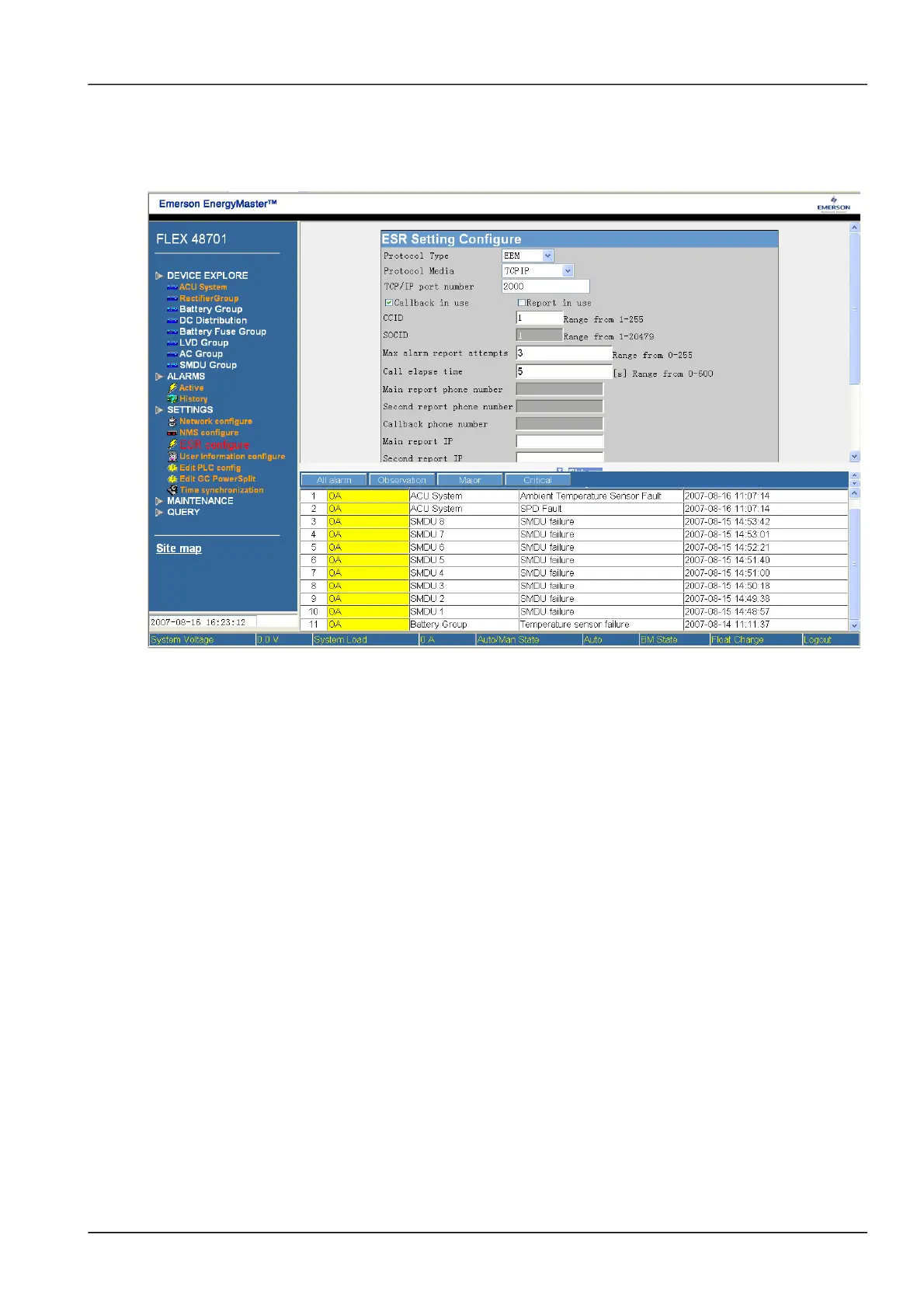
Click the sub-menu of “ESR Configure”, following screen pops up:
Figure 1.3 ESR configuration
In the screen shown in Figure 4-24, the user can configure the phone number and protocol for communication. Refer
to the document of “ESR private configuration” for the meaning of each parameter. Click the sub-menu of “User
information”, following screen pops up:
NetSure 501 A50, NetSure 501 AA0, NetSure 701 A51 19-Inch Subrack Power Supply System User Manual



 To Next Page
 Loading...