Chapter 5 Use Of Monitoring Module M800D 67
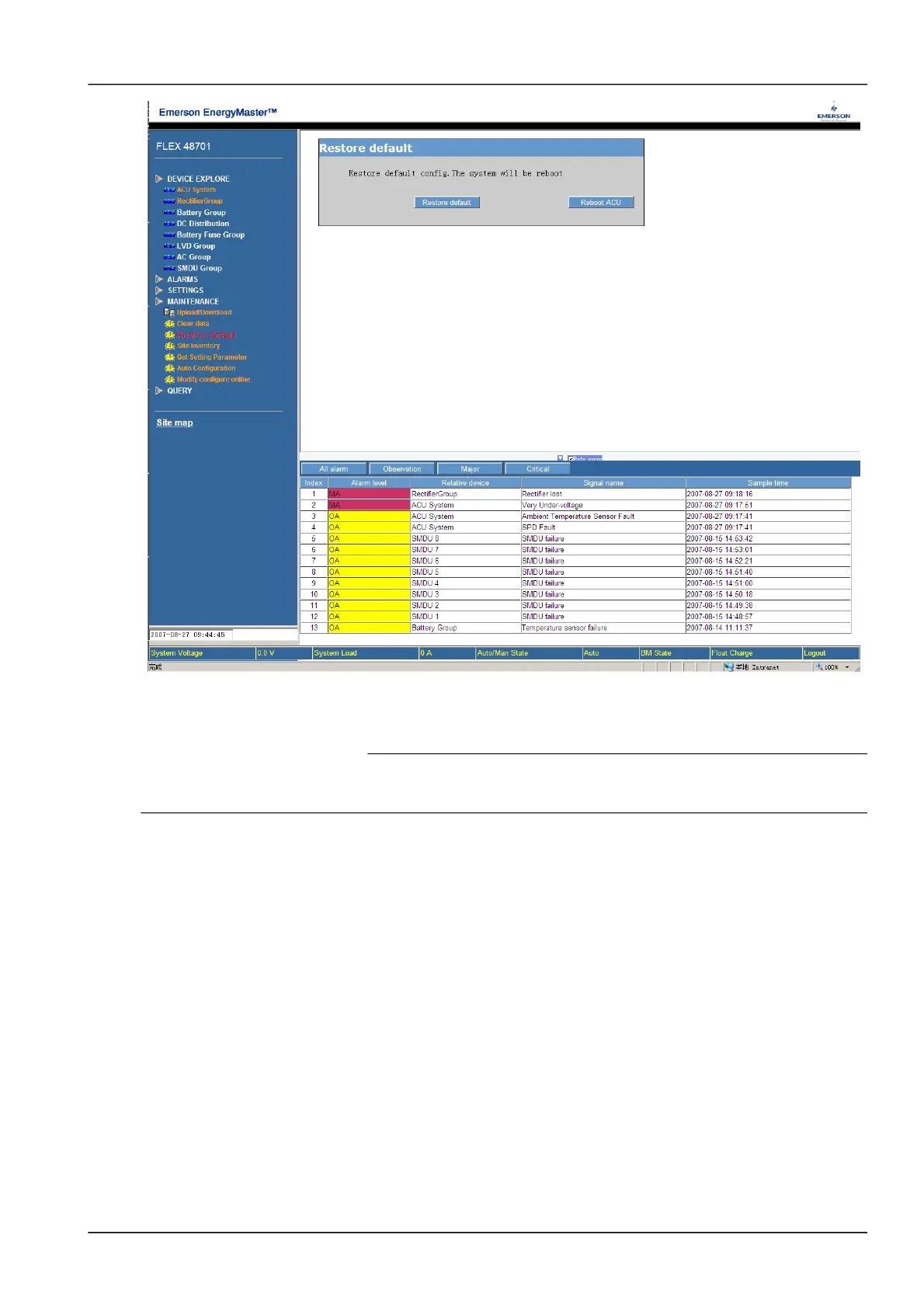
Figure 1.7 Restore default
User can click the button of [Restore default] to restore all the default settings and then click the button [Reboot ACU]
to make the default settings become effective.
9. Note
If the user uses the restore function, M800D may lose the original solution configuration and current parameter settings. After the
restore operation, be sure to wait for 5 minutes before re-accessing the M800D through the Web.
Click the sub-menu of “Site inventory”, following screen pops up:
NetSure 501 A50, NetSure 501 AA0, NetSure 701 A51 19-Inch Subrack Power Supply System User Manual



 To Next Page
 Loading...