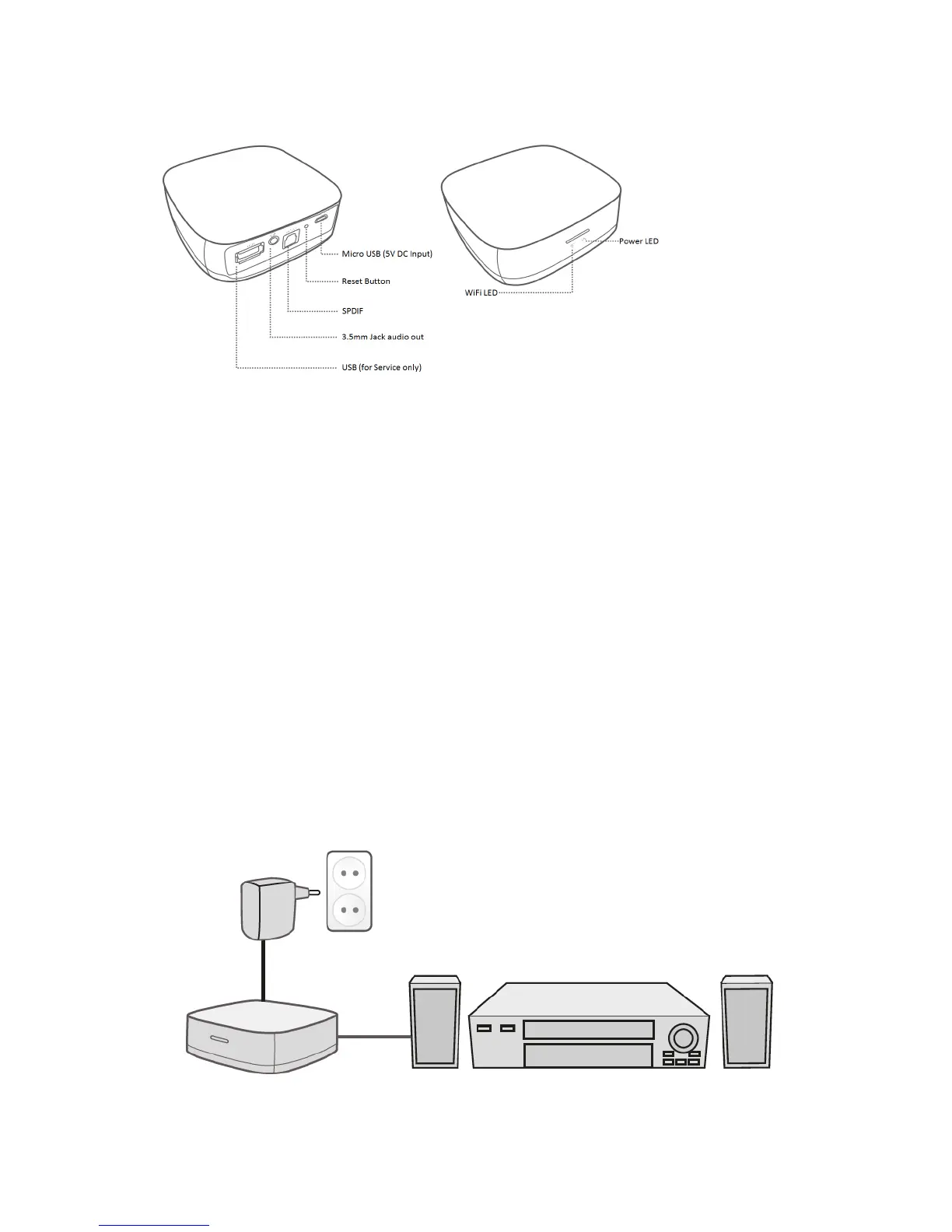
2.0 Explanation of the connections
• Micro USB: Connection for the Micro USB power cable (5V).
• Reset button: You can reset the WiFi Music Streamer to the factory settings by
pressing the “Reset button”. To do so, you could use a bent open paper clip.
• SPDIF (optical) connection: Audio connection to connect to your digital audio
receiver.
• 3.5mm jack stereo: Used to connect to a analogue headphone/speaker or audio
receiver.
• USB: used for service only.
• Power Led: Indicates if the device is powered.
• WiFi LED: Indicates the WiFi status of the device.
3.0 Connecting the WiFi Music Streamer
1. Connect the power supply to a wall outlet.
2. Connect the Micro USB cable of the power supply to the ‘Micro USB’ of the
EM7410.
3. Connect the EM7410 to an audio device with the 3.5mm jack / 2x Cinch or SPDIF
optical cable. Preferably use the SPDIF optical cable (not included) for the best
possible audio playback.



 To Next Page