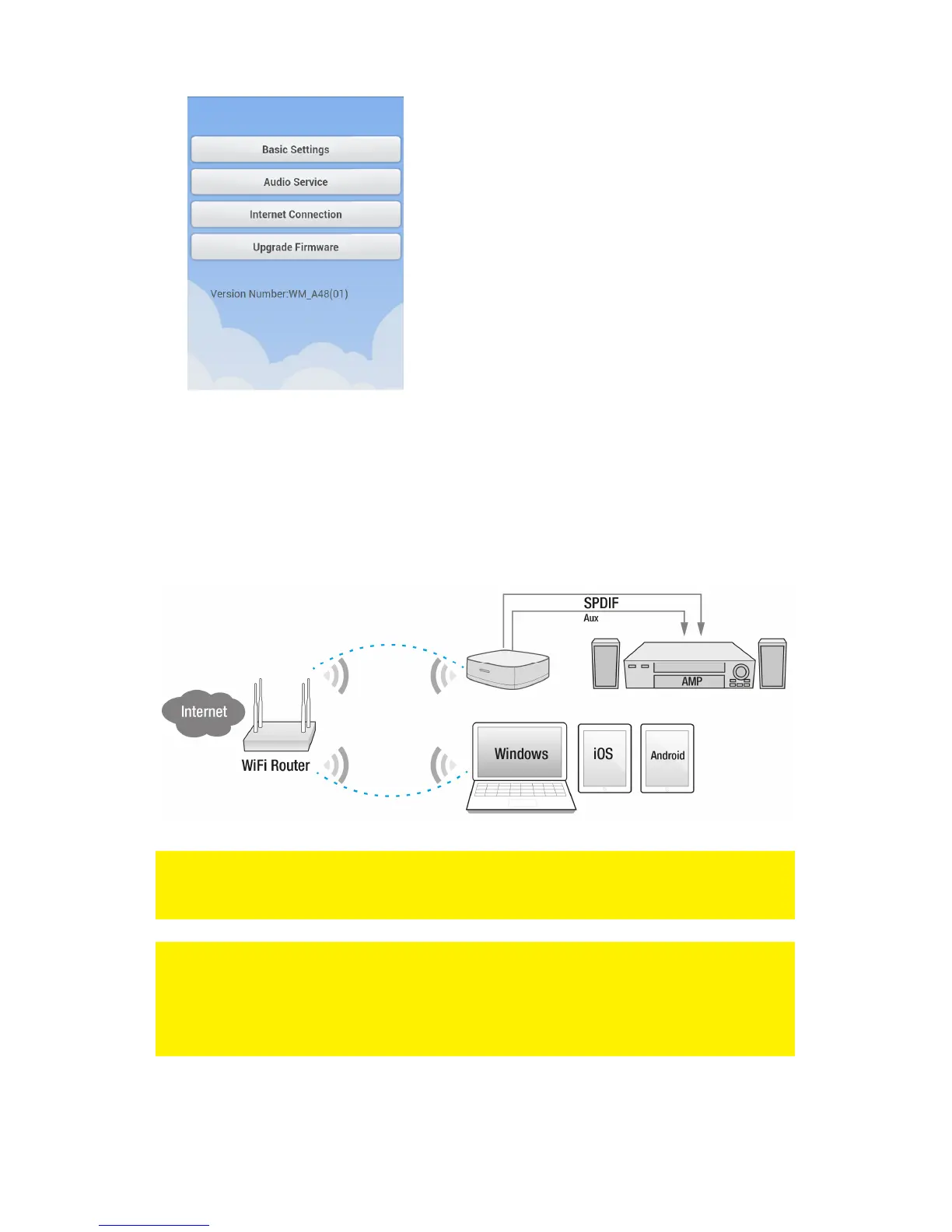
• Select “Internet connection”.
• Check if “Wireless access” is enabled, if not please enable.
• Select the WiFi network (SSID) of your Wireless network you wish to connect to.
• Enter the Encryption key of your network.
• Press “OK”.
The EM7410 will now reboot and connect to your LAN You will now be able to access
the WiFi Music Streamer from within your own LAN.
Note: Within this Setup Menu you can also change the WiFi settings incl. encryption
and the streamer name. To change the WiFi settings select “Basic Settings” from
the menu. To change the streamer name select “Audio Service” from the menu.
Note: When the EM7410 is connected to your WiFi Router/modem the EM7410 can
be used as a wireless access point. By default the WiFi of the EM7410 is not secured
and will provide a internet connection to every device connected to the EM7410
unsecured. We suggest t secure the WiFi network of the EM7410 if you decide to
connect it to your WiFi network (see chapter WiFi configuration).



 To Next Page