3
|
ENGLISH
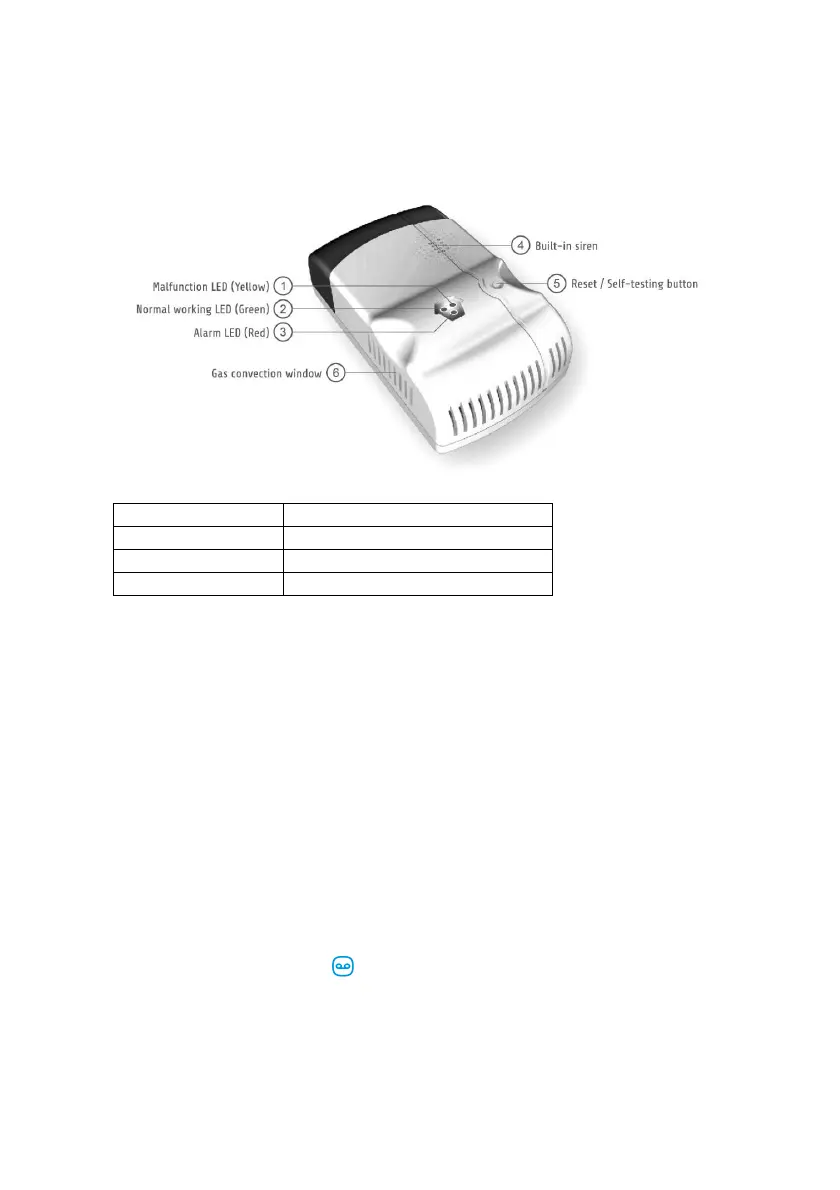
2.0 General view
LED Indicators
Red LED flashes Gas detected
Green LED flashes Detector in warm-up state
Green LED on Detector in normal operating state
Yellow LED on Malfunction of the detector
3.0 Setup
While the detector is powered on, it will enter self-test mode first. The green, red and
yellow LED indicators flash once at the same time and the siren beeps once when
self-test has passed.
After the self-test the detector will enter the warm-up state. The green working LED
indicator flashes once per second. In about 3 minutes (between 3 and 10 minutes if
you haven’t used it for a long time), the siren gives a long beep and the green LED will
light up constantly. This means the gas detector is in normal working mode.
4.0 Connect to alarm panel
Enter the password and press button on the control panel.
The LED will turn on. Now add the gas detector by pressing the Reset/test button.
If you hear a beep the sensor is registered to the system. If you hear 2 beeps this
indicates this sensor is already registered. The first sensor you register will be
Zone 1, the second sensor Zone 2 etc.



 To Next Page