37
Operation Guide
Language Selection
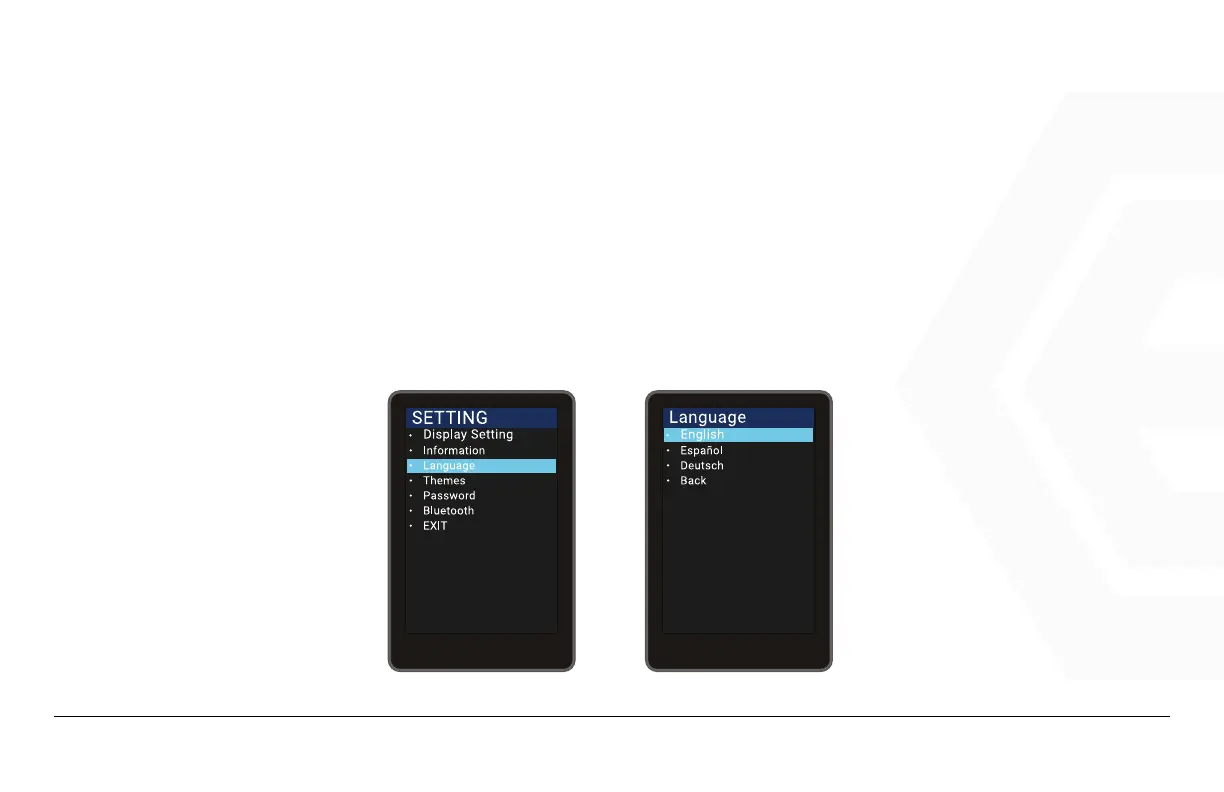
There are 3 languages for users to choose. Press the Power button to enter the settings, use the “+”
button or the “-” button to move the cursor up or down, select “Language”, press Power to enter the lan-
guage selection interface, move the cursor to toggle between “English”, “Español” and “Deutsch” and then
press “OK” to exit to the main interface via “Back” to “Exit”.
1. Speedometer & Control
d� Function Summary



 To Next Page