43
Operation Guide
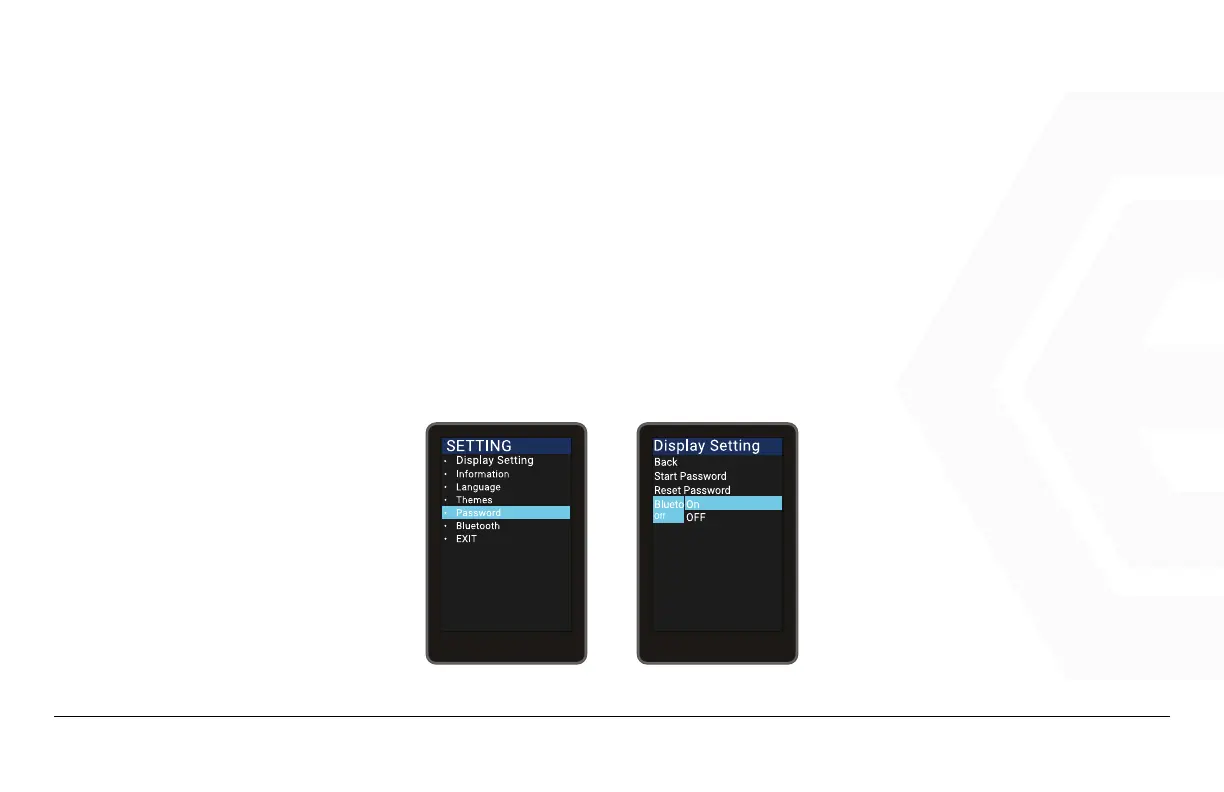
Bluetooth Lock Settings (Bluetooth Unlock Is On by Default)
Press the Power button to enter the setting information list, use the “+” button or the “-” button to move the cur-
sor up and down, and press “OK” after checking the “Password” option, enter the Password options interface, se-
lect “Bluetooth Unlock” press Power to enter the settings, press the “+” button or “-” button after entering the set-
tings to select “On” or “Off” (“On” means to turn on the Bluetooth lock, “Off” means to turn off the Bluetooth lock),
press “Save”to select and exit.
1. Speedometer & Control
d� Function Summary



 To Next Page