16 | Page
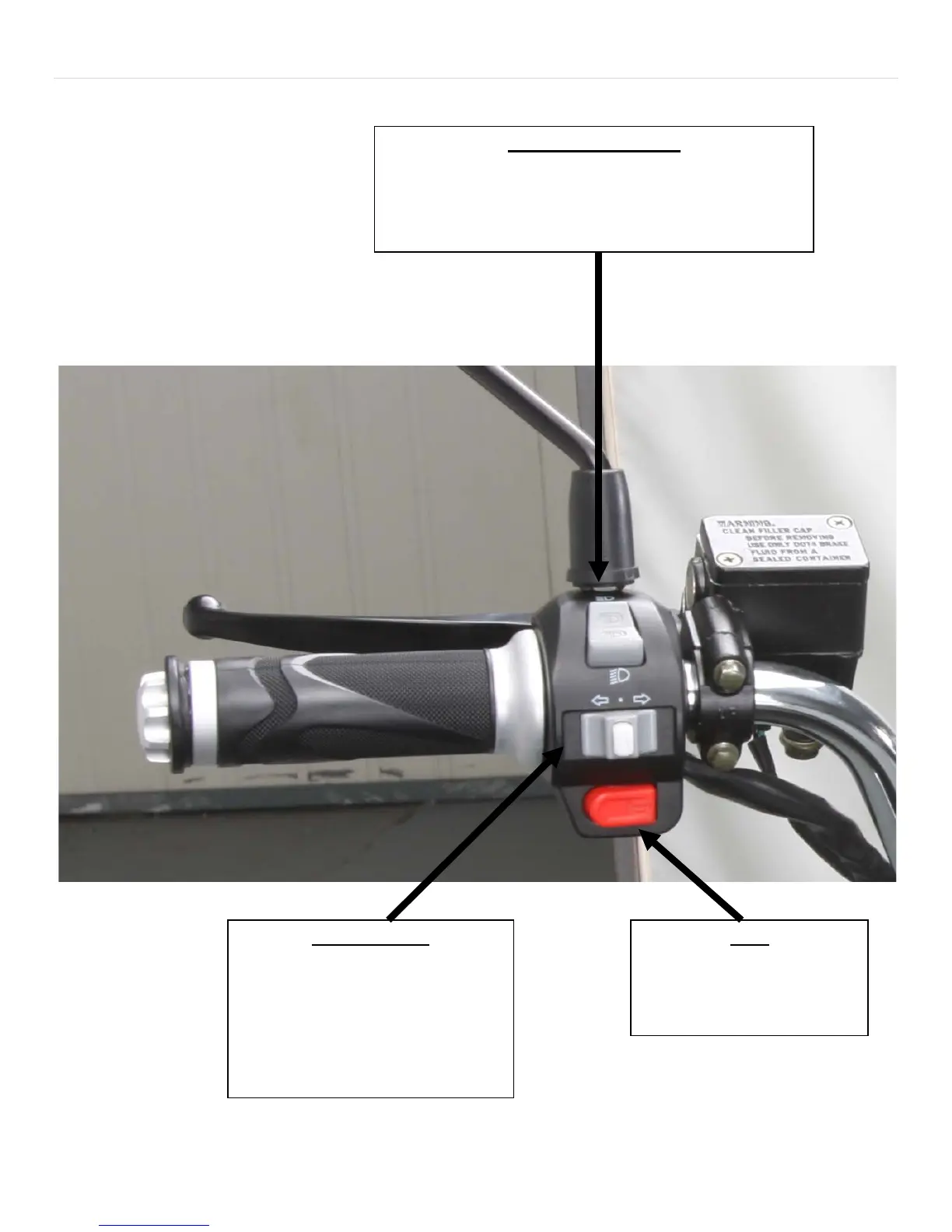
Pushing the switch up activates the high beams for the front
headlights, pushing it down deactivate the high beams
(make sure the light switch is on first).
Pushing the switch to either the left or
right positions will turn on the
respective front/rear turning signals.
Pushing the middle white button will
turn off your turning signals.
Pushing this button sounds the
horn.



 To Next Page