14
6. AUDIO SYSTEM
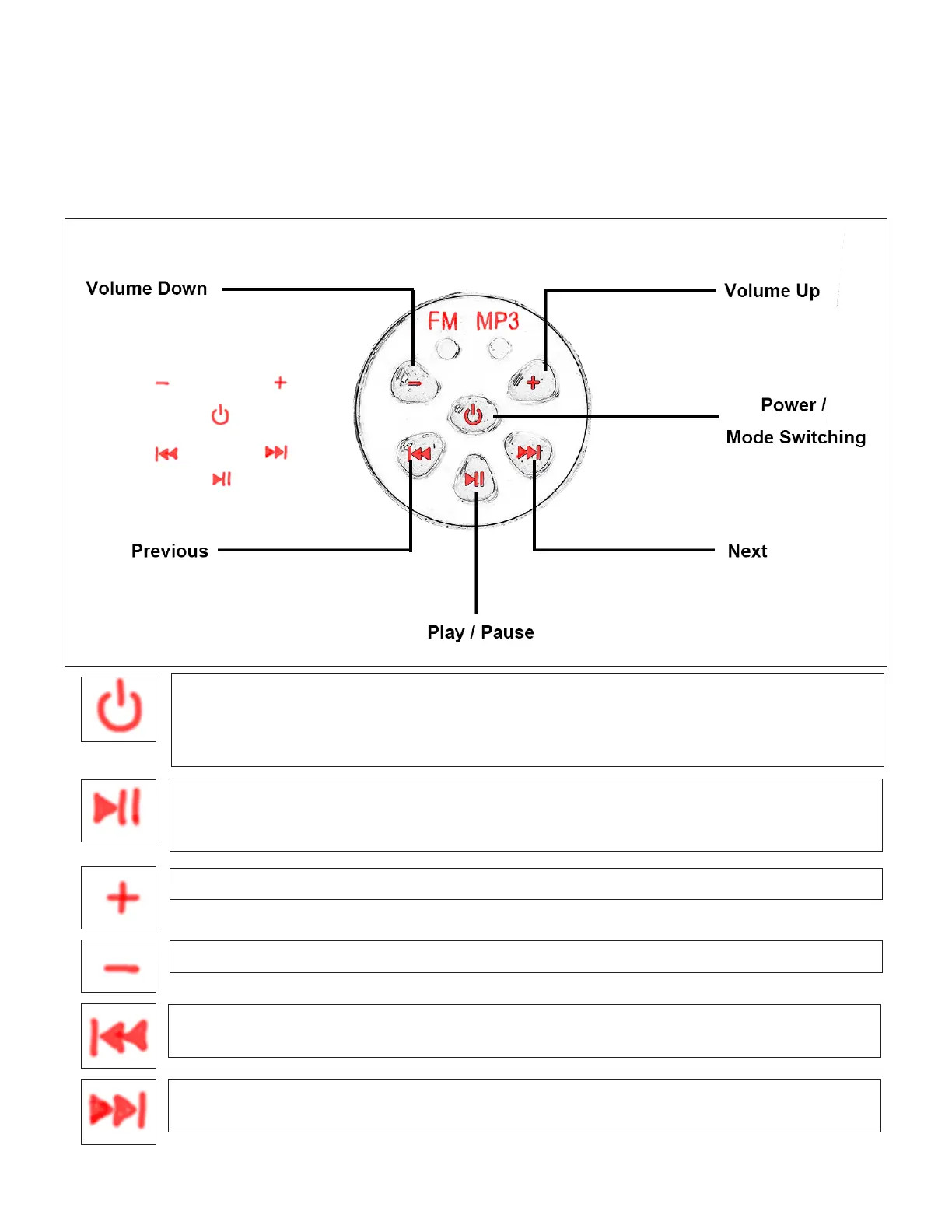
Press once to turn on the radio system. e MP3 mode is set by default. You can pair your
bluetooth device with the built-in MP3 player (named Electric bike) and play the music.
Press the button again to switch to FM radio mode.
Press the button again to turn it o.
In MP3 mode, press the button once to pause. Press again to continue to play.
In FM radio mode, hold the button for 5 seconds to search for available channels. Once
nished the system will stop at the rst channel.
Turn the volume up.
In MP3 mode, press the button once to play the previous song in the list.
In FM radio mode, press the button once to switch to previous channel in the list.
In MP3 mode, press the button once to play the next song in the list.
In FM radio mode, press the button once to switch to next channel in the list.
Turn the volume down.
The built-in audio system has two modes - MP3 player and FM radio.


 To Next Page