EasyManua.ls Logo

Emos E0107 - User Manual

Emos E0107
44 pages
Print Icon
To Next Page IconTo Next Page
Loading...
2603115000_31-E0107_00_01_WEB 105 × 148 mm
E0107 | E0107T
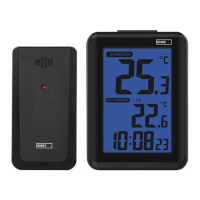
GB Wireless Thermometer
CZ Bezdrátový teploměr
SK Bezdrôtový teplomer
PL Termometr bezprzewodowy
HU Vezeték nélküli hőmérő
SI Brezžični termometer
RS|HR|BA|ME Bežični toplomjer
DE Drahtloses Thermometer
UA Бездротовий термометр
RO|MD Termometru fără r
LT Belaidis termometras
LV Bezvadu termometrs
EE Juhtmeta termomeeter
BG Безжичен термометър
FR|BE Thermomètre sans l
IT Termometro wireless
NL Draadloze thermometer
ES Termómetro inalámbrico
www.emos.eu
Question and Answer IconNeed help?

Do you have a question about the Emos E0107 and is the answer not in the manual?

Summary

Wireless Thermometer Overview

Specifications

Technical specifications including temperature range, resolution, sensor range, and power supply.

Main Unit Description

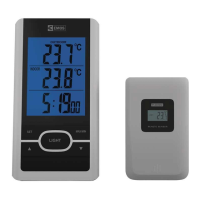
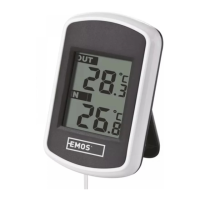
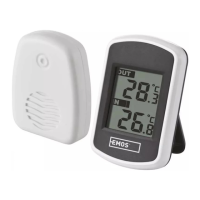
Description of the main unit's front display and rear side components.

Button Functions

Details on how to use the LIGHT, MAX/MIN, UP, DOWN, and SET buttons.

Station Commissioning and Time Setting

Commissioning the Station

Steps for initial setup, inserting batteries, and sensor connection.

Setting the Time and Date

Step-by-step guide to setting the time zone, hours, and minutes.

DCF77 Radio Signal Reception

Troubleshooting Signal Reception

Steps to take if the clock fails to find the DCF signal and factors affecting reception.

Display Functions and Maintenance

Displaying Max;Min Temperature Values

How to display and clear the maximum and minimum temperature readings.

Backlighting the Display

Instructions for activating the display backlight.

Product Maintenance and Safety

Guidelines for care, cleaning, battery replacement, and safety warnings for children.

Summary

Wireless Thermometer Overview

Specifications

Technical specifications including temperature range, resolution, sensor range, and power supply.

Main Unit Description

Description of the main unit's front display and rear side components.

Button Functions

Details on how to use the LIGHT, MAX/MIN, UP, DOWN, and SET buttons.

Station Commissioning and Time Setting

Commissioning the Station

Steps for initial setup, inserting batteries, and sensor connection.

Setting the Time and Date

Step-by-step guide to setting the time zone, hours, and minutes.

DCF77 Radio Signal Reception

Troubleshooting Signal Reception

Steps to take if the clock fails to find the DCF signal and factors affecting reception.

Display Functions and Maintenance

Displaying Max;Min Temperature Values

How to display and clear the maximum and minimum temperature readings.

Backlighting the Display

Instructions for activating the display backlight.

Product Maintenance and Safety

Guidelines for care, cleaning, battery replacement, and safety warnings for children.

Emos E0107 Specifications

General IconGeneral
Resolution0.1 °C
Accuracy±0.2 °C
Power2 x AAA batteries
Measurement Time1 second
Battery2 x AAA batteries
DisplayLCD
Fever AlarmYes

Related product manuals