3
GB | Wireless Weather Station
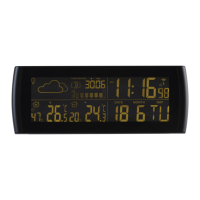
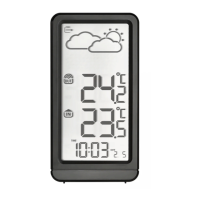
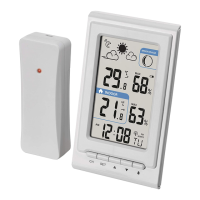
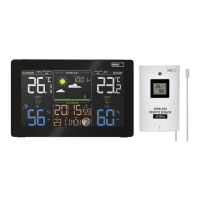
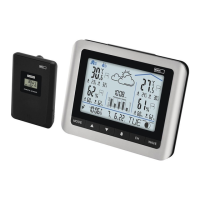
The wireless weather station displays time, date, alarm clock with snooze, the weather forecast, the in-
formation about the indoor and outdoor temperature, indoor humidity and the moon phase. Before you
start using the product, please read the user manual carefully.
Specication
Radio controlled clock (DCF)
Indoor/outdoor temperature: from 0°C to +50°C; from -30°C to +60°C
Temperature dierentiation: 0.1°C
Wireless sensor: transmittion frequency 433 MHz
Transmission distance: up to 30 m in an opened area
Number of sensors: max. 3
Relative humidity: 20 % – 90 %
Dierentiation: 1 %
Accuracy: ±5 %
Power:
Main unit: 3× AAA batteries (not included)
Sensor: 2× AAA batteries (not included)
Dimensions and weight:
Main unit: 139×100×52 mm; 187 g (without batteries)
Sensor: 64×84×25 mm; 55 g (without batteries)
Layout of icons and buttons:
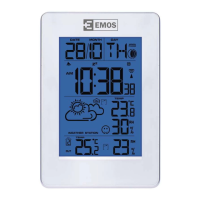
Weather station
A – Icon of weather forecast
B – Icon of comfort
C – Indoor temperature and humidity
D – Number of the remote sensor
E – Outdoor temperature
F – DCF 77 Radio Signal reception Icon
G – Displays the time
H – Displays the date, day in a week
I – Icon of the moon phase
If the button is pressed
If holding the button
(3 seconds)
Set changing the time and date setting
setting the time, date, language,
calendar, time zone
Alarm
alarm switch o/switch on, change
possible during alarm clock setting
alarm clock setting
+ setting the time format 12/24 h day/year display
-/Wave changing between °C/°F capturing the DCF 77 signal
Ch displaying the values from sensors 1,2,3 searching the sensor
Remote sensor:
Front side: LED
Rear side: J – setting the channel number 1, 2, 3 for communication with the weather station
Putting into operation
1. Insert the batteries into the station (3× AAA) and then into the remote sensor (2× AAA). When inserting
the batteries observe the right polarity of the batteries to avoid the weather station or sensor damage.
Use the alkaline batteries of the same kind only, do not use the rechargeable batteries.


 To Next Page