7
6. Control of the Application
a) Device Settings
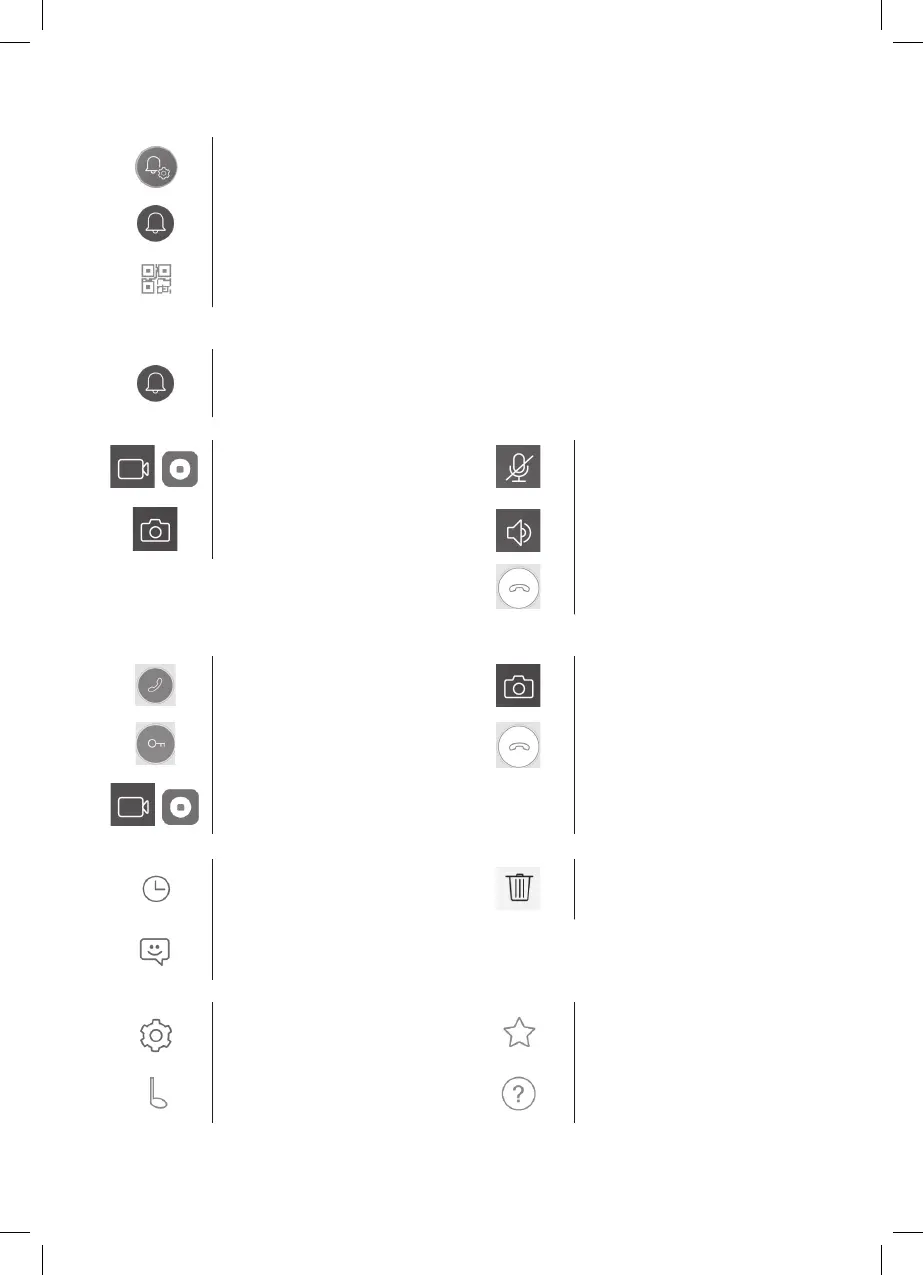
enter the menu
change the name of the device. Here you can choose a ringtone. Each panel can have a dierent
ringtone to dierentiate which input has been activated.
device sharing. After clicking the button, a QR code will be displayed which will allow you to set up the
panel on other mobile devices. Simply scan the QR code with another mobile device. This allows simple
set–up of the device without the need to go through the entire pairing process again.
b) Emergency Mode View
open view
Once emergency view is open, you can make video sequence recordings or take photos.
/
start/stop video recording microphone on/o
take a photo speaker on/o
end view
c) Incoming Call
During an incoming call the pre–set ringtone will play and information will be displayed on the screen.
accept call take a photo
door lock control end call
/
start/stop video recording
d) Records
enter menu with records delete individual records
enter menu with records about alarm
e) Application Settings
enter the menu information about the application
choose ringtone help


 To Next Page