3
Display settings:
1. current time setup
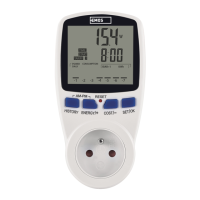
1.1 Press and hold the „SET/OK“ button for 3 seconds. You will enter the settings mode
and the clock icon will start blinking. You can change the time values using the buttons
„ENERGY/+“ (increasing values) or „COST/-“ (decreasing values). Pressing the „HISTORY“
button will switch between hours and minutes. Once current time is set, press „SET/OK“.
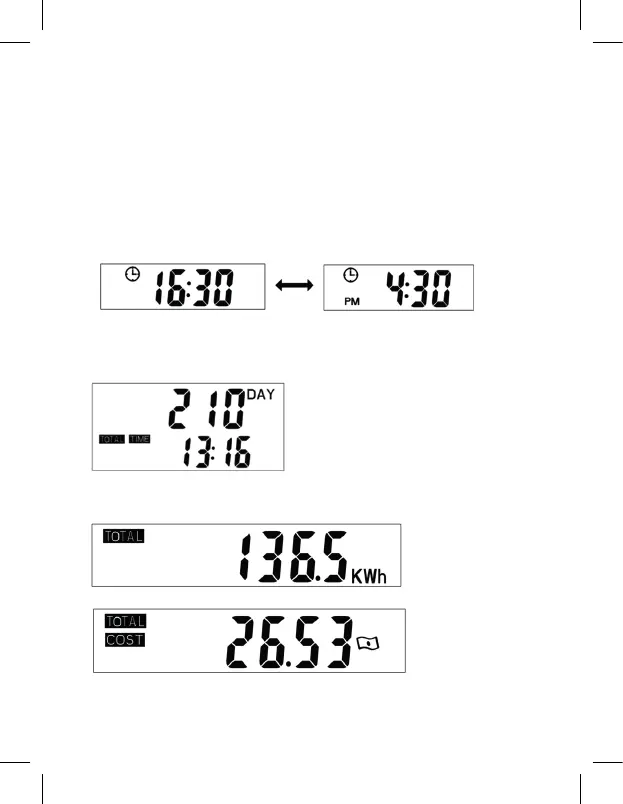
Switching to 12/24 hour mode
After setting the current time, the metre will work on a24 hour time cycle. If you want
to switch to 12 hour mode, simultaneously hold the „HISTORY“ and „ENERGY/+“ buttons
for 3 seconds. The display will show the AM or PM symbol. AM indicates morning hours,
PM afternoon hours. Set the desired time mode (12/24).
1.2 Total operating time of the connected appliance (TOTAL TIME):
Once the load (input power of the connected appliance) exceeds 2 W, total time will
start recording automatically. You can display the total operating time by pressing the
„COST/-“ button.
1.3 using the „COST/-“ button, the display will show the following, in order:
• Total operating time
• Total power consumption 0.00–9 999 kWh
• Total power costs 0.00–9 999 EUR


 To Next Page