Page 8
XDA-3 Differential Reference DAC
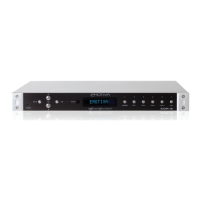
5. Standby Button and Standby Indicator
When the rear panel AC Power switch is On, press this button to switch the XDA-3 On; press it
again to return to Standby. You may also switch the XDA-3 On and O using the On and Standby
buttons on the remote control.
Note: When the XDA-3 is in Standby Mode the Standby Indicator will be illuminated AMBER.
When the XDA-3 is On the Standby Indicator will NOT be lit.
Note: The rear panel AC Power switch must be on for the XDA-3 to operate. If the rear panel
AC Power switch is O, the XDA-3 will not respond to either the front panel controls or the
remote control.



 To Next Page