6
Setting the Bypass State on
Startup
To change whether the Compressor starts up in
the engaged or bypassed state, hold down the
stompswitch while powering on the Compressor. The
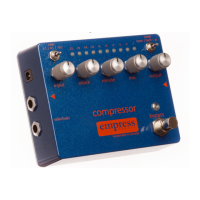
first red gain reduction led will flash to let you know
you are in the advanced configuration mode. Press
the stompswitch to toggle between states:
gain reduction led 1 = bypassed at startup
gain reduction led 2 = engaged at startup
When finished, press and hold the stompswitch for 2
seconds to confirm and save your selection, and exit
advanced configuration.


 To Next Page