E9 OP REV.A1
14
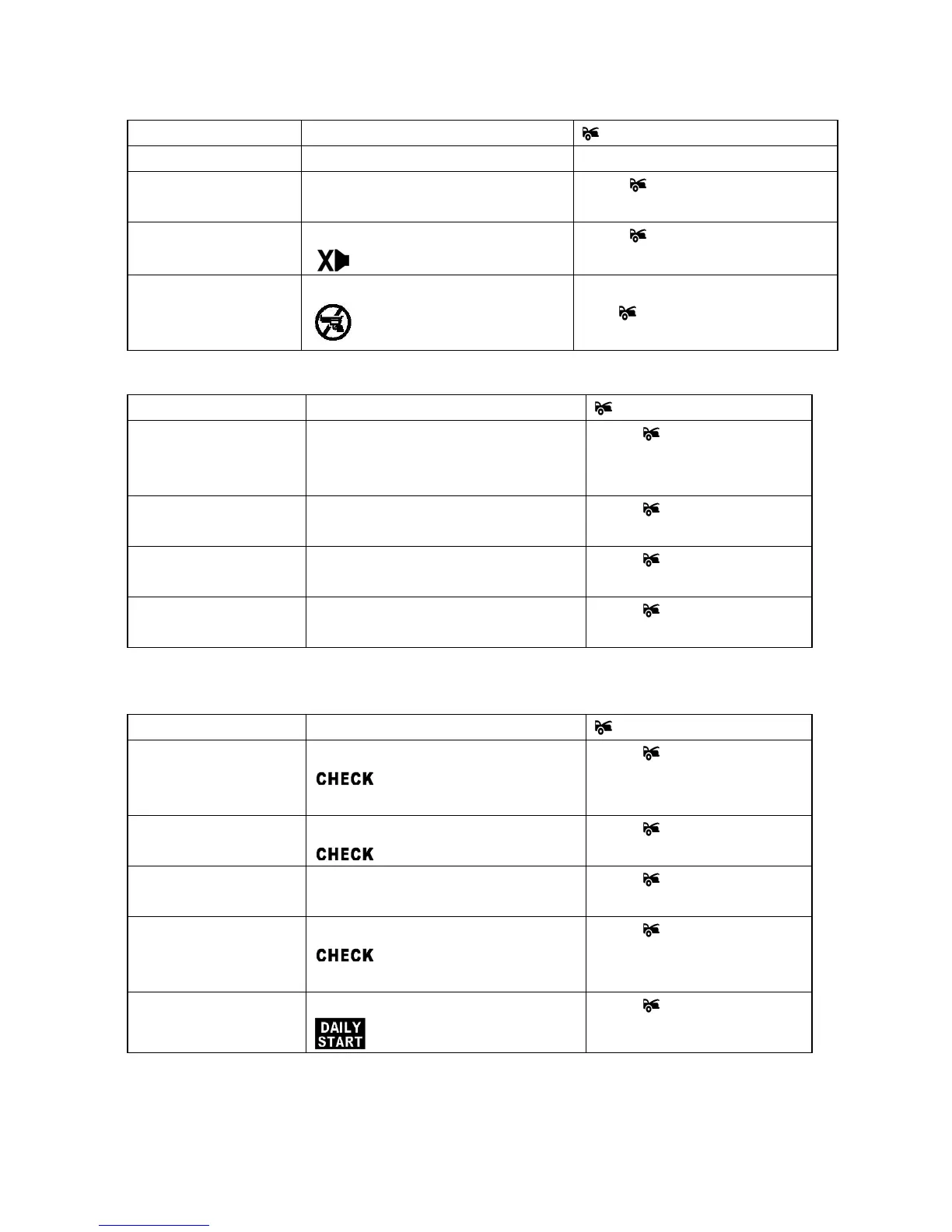
Table 1: ONE beep to confirm (Press & hold “ F “ button until 1 Beep is heard)
F Button LCD Display Button
Press once Backlight turns on for 5 seconds
Press twice within 5
seconds
PASS and
PASS icon flashing
Press button to arm the alarm
and bypass the sensor 1.
Press three times
within 5 seconds
HIDDEN ALARM and
icon flashing
Press
button to arm system
and with Hidden Alarm Function.
Press four times within
5 seconds
ANTI CAR- JACK and
icon flashing
Ignition in "on" position press and
hold
button for 2 seconds to
activate anti carjacking functions.
Table 2: TWO beeps to confirm (Press & hold “ F “ button until 2 Beeps is heard)
F Button LCD display Button
Press and hold the F
Button for 2 second
until 2 beeps sounded
MENU flashing Press button to enter the
menu mode
Press one more time
within 5 seconds
CH 4 flashing Press button to activate
channel 4 function
Press twice within 5
seconds
CH 5 flashing Press button to activate
channel 5 function
Press three time within
5 seconds
CH 6 flashing Press button to activate
channel 6 function
Table 3:THREE beeps to confirm(Press & hold “F” button until THREE Beeps are
heard)
F Button LCD display Button
Press and hold the F
Button for 3 second
until 3 beeps sounded
STATUS and
icon flashing
Press
button to check the
Vehicle Status.
Press ONE more time
within 5 seconds
ALARM and
icon flashing
Press
button to check the
system trigger condition.
Press TWO more times
within 5 seconds
Voltage and
Check
icon flashing
Press button to check the
Vehicle Battery condition.
Press THREE more
times within 5 seconds
TEMP and
icon flashing
Press
button to check the
Interior Temperature of the
vehicle
Press Six more times
within 5 seconds
Start timer and
icon flashing
Press
button to activate
or cancel daily start.
Table 4: FOUR beeps to confirm (Press & hold “F” button until 4 beeps are heard)



 To Next Page