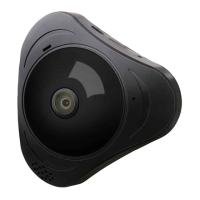
Panoramic VR IP Camera 360º
11
serial number is
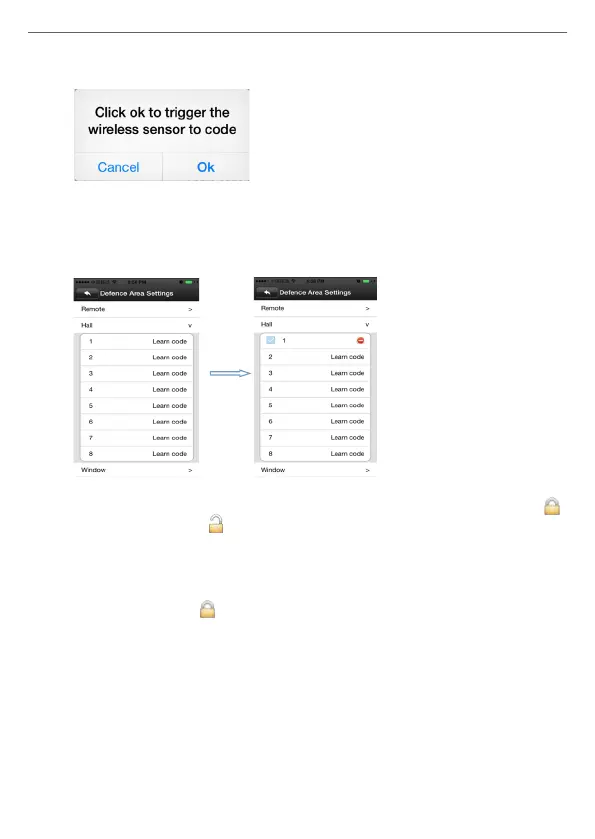
1. Click “Hall” -click number 1, pop-up:
Click “conrm”, and trigger the alarm you will learn at the sametime
(take the door sensor as example, separate the door sensor will trigger
the alarm). if match code successfully, the words will be turn blue from
grey, and will pop-up: learn successfully”.
D) Back to device list interface, click the right lock key of the device, “ ”
means Arming, “ ” means disalarming, the alarm will be effective
if match code successfully after alarming 15 secs.
E) “Remote control” is special designed for alarm remote control, the
ways of matching code is the same as “A, B, C”, the function is equal
to the right key of the device list in the Yoosee software, it can be
used as “alarming, disalarming”, but it need match with the device
learning.
2) Delete match code: click the access number that had learned,
conrm delete is ok.
7) Device upgrading
Click Device -> Settings -> check device update: click on the new version
number, it will remind the new version number if have updated, and the
user can choose to upgrade.


 To Next Page
 Loading...