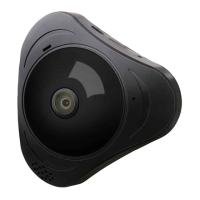
Panoramic VR IP Camera 360º
3
Solution 2:
Reset:
Reset can be helped to boost the IP Camera system, which become more
efcient to accept the unknown router and connect it.
Reset will erase all user Settings: including WI-FI information, access
password, alarm information, arming zones information.
How to reset:
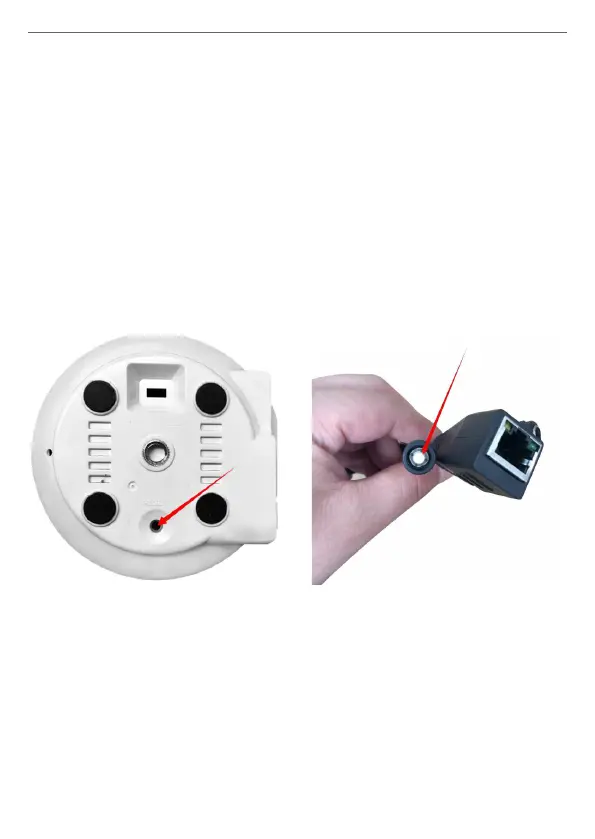
Find the reset hole at the bottom of the device, and then use needle to
insert it, press it more more than three seconds after hearing “di” sound,
when hearing ‘Reset to be defaulted setting’ sound or the sound like “draw
the sword”, reset successfully.
After the reset, user can start to connect it by WI-FI or Wired Network.
2. Q: Forget the Password of the Account and can not receive any
notications/link by email from Yoosee?
A: Please check the Email Setting, to make sure it has opened SMTP
function. SMTP is used to allow us to receive the message or notication
from the third party like yoosee or other apps.
• The indoor IP camera’s reset key is
on the bottom.
• The outdoor IP camera’s reset key
is in the cable.


 To Next Page
 Loading...