5/7 energysistem.com
| |
Wearing the headset
Adjusting the headset
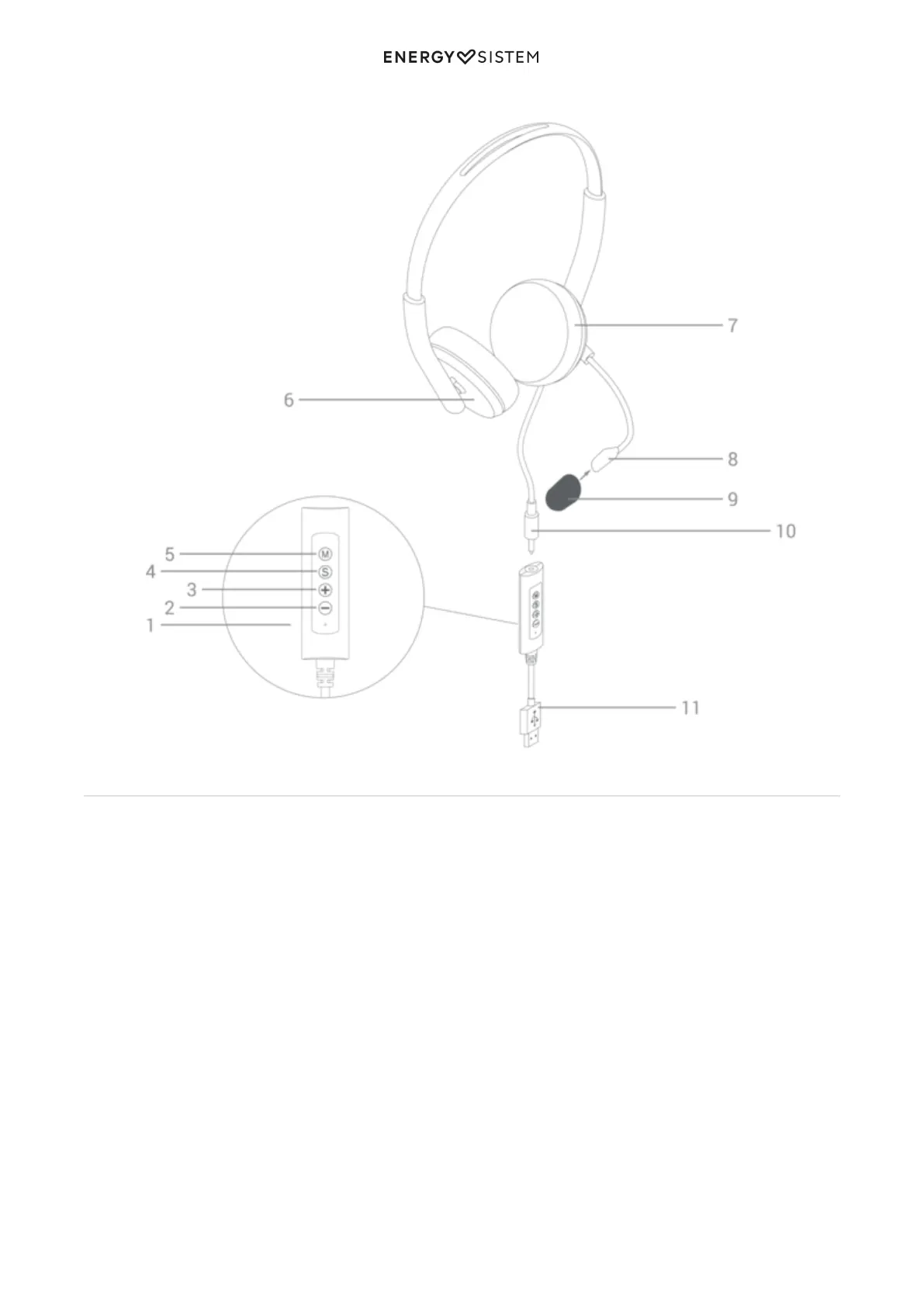
To make video calls, you can wear the Microphone (8) on either the right or left side of the mouth, whichever is most
comfortable for you. When making video calls you will hear mono sound, so you don?t have to worry about how you
wear the headset.
On the other hand, you will listen to music in stereo. We therefore recommend you take into account the inner Right (6)
and Left (7) markings to wear the headset properly.
Adjusting the microphone
Wear the Microphone (8) on either side of the month and adjust it properly. Take into account the symbol on the
Microphone (8) indicating the side that should rest close to the mouth to ensure accurate voice capture.
Optionally, you can use the Pop filter (9) provided with the product to reduce popping sounds caused by the air coming
out of the mouth when talking. We recommend using it if you leave a distance of less than 5 cm between lips and
microphone.



 To Next Page