12
8. Display flashes “APPLY/ REF/ PSI/
THEN/ PRESS/ ENTER/ TO/ START/ OR/
OTHER/ TO/ ABORT”; apply the pressure
indicated in numeric display to gauge
and press
|
|
➟
display will show
“WAIT” and count down from 6 seconds
then briefl y display GOOD then exit into
Measurement mode.
Note: Recalibration is allowed only if test
parameters are within ±7%. If outside this
window, the display will indicate “CAL FAIL /
INPUT PRES TOO LOW (HIGH) / PRESS ENTER
TO RETRY / PRESS OTHER TO ABORT”.
Note: “FIELD” option appears only if gauge
has been successfully fi eld recalibrated.
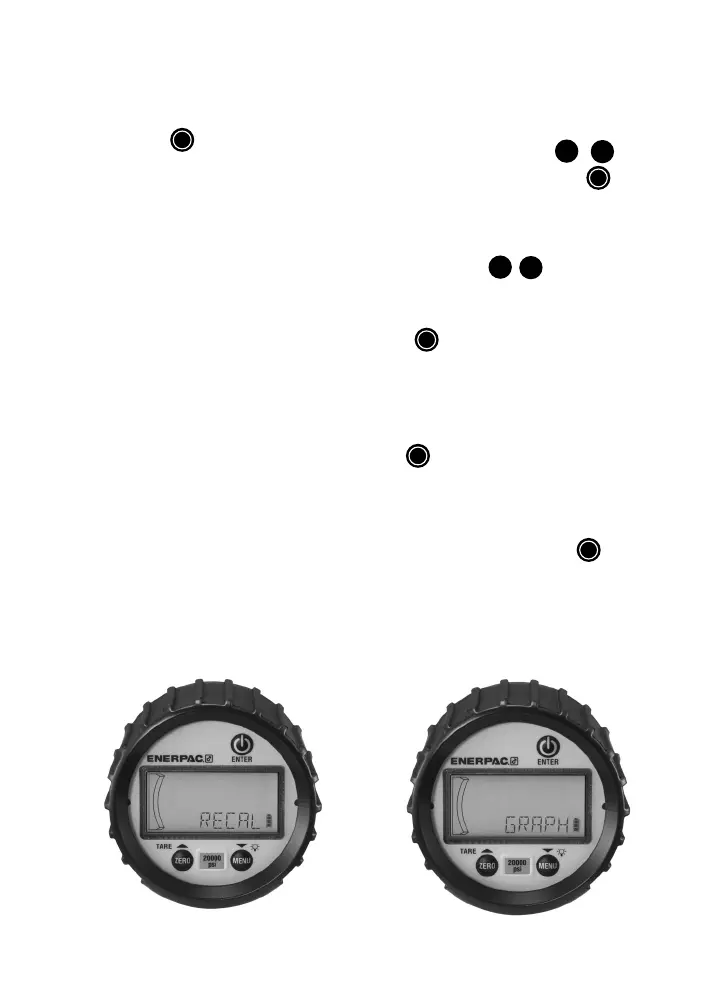
Graph:
Provides the user the ability to modify pressure
values dictating the minimum / maximum
indications over the 20 segment bar graph.
1. In Menu mode press
▴
,
▾
➟
,
until “GRAPH” appears; press
|
|
➟
.
2. Display will indicate “CGOFF” (custom
graph o ) [default], “CG ON” (custom
graph on), or “NEWCG” (new custom
graph). Press
▴
,
▾
➟
to scroll.
3. To recall the last custom graph entered
when “CG ON” is displayed press
|
|
➟
. Display will briefly show
“DONE” and return to Measurement
mode.
4. To reset bar graph to full scale range;
when “CGOFF” is displayed press
|
|
➟
. Display will briefly show
“DONE”, and return to Measurement
mode.
5. To enter a new custom bar graph; when
“NEWCG” is displayed press
|
|
➟
.


 To Next Page
 Loading...