6
Note: Key presses designated as short (less
than 0.5 sec) are indicated by “
➟
” ICON
Key presses designated as long (greater than
0.5 sec.) are indicated by “
➠
” ICON
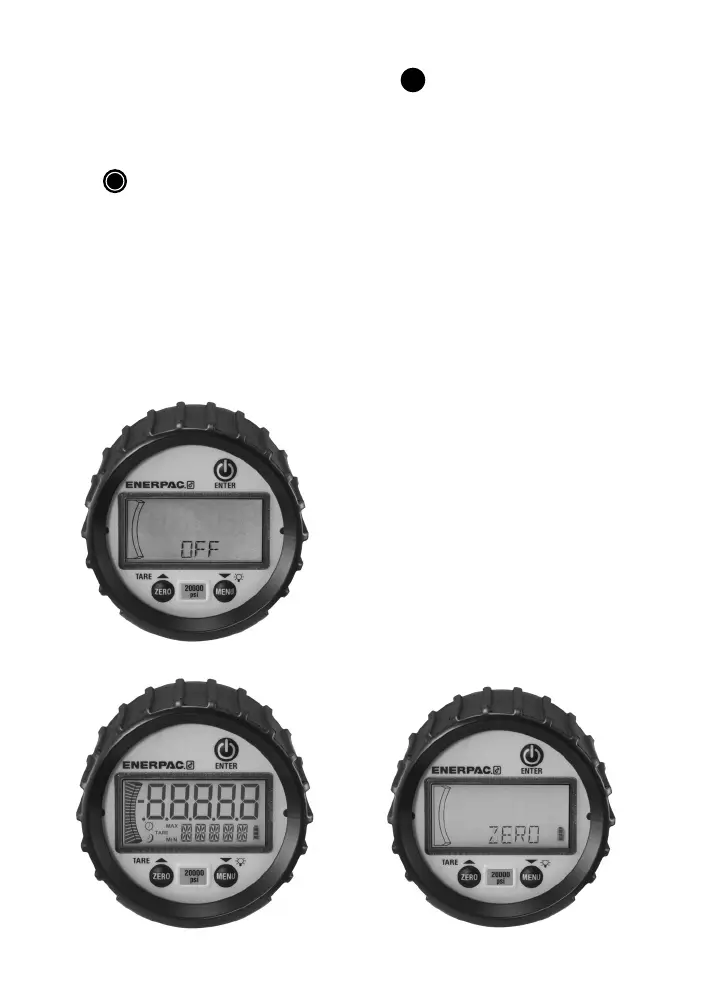
Turn the Gauge ON/OFF
Press
|
|
➠
key to turn gauge
ON / OFF. When initially turned ON, the display
will momentarily show all LCD segments lit,
product version and full scale range; the unit will
then proceed automatically to the Measurement
mode.
Zero Function:
Press
ZERO
➠
. Upon release, the numeric
display momentarily disappears and “ZERO”
shows in alpha display, then returns to
Measurement mode. The pressure should now
read 0. Zero value is stored in memory.
Note 1: A display message of “RLOCK”
indicates that zero is more than ±5% from
factory calibration. Zeroing is not possible.
Note 2: A message of “ZLOCK” indicates that
zero lock function is activated.


 To Next Page