EasyManua.ls Logo

ENFORCER SK-1123-SDQ - User Manual

ENFORCER SK-1123-SDQ
32 pages
Print Icon
To Next Page IconTo Next Page
Loading...
Vandal Resistant Outdoor
Access Control Keypads
Manual
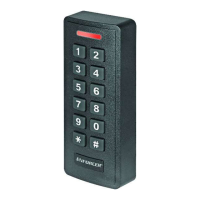
(SK-1123-SPQ shown)
Model
Number
2 Outputs
Backlit
Keys
Proximity
Reader
SK-1123-SDQ
SK-1123-SPQ
Question and Answer IconNeed help?

Do you have a question about the ENFORCER SK-1123-SDQ and is the answer not in the manual?

Summary

Quick Installation Guide

Keypad Mounting Diagram

Diagram showing how to mount the keypad.

Quick Wiring Diagram

Diagram illustrating the wiring connections for the keypad.

Quick Programming Guide

Programming Tips and Instructions

Provides essential tips and step-by-step instructions for basic programming.

Basic Programming Steps

Step-by-step guide for new master code, user codes, and output timing.

Product Overview

Parts List

Lists all components included with the keypad.

LED Indicators and Keypad Sounds

Explains the meaning of LED lights and keypad sounds.

Wiring Diagram

Connection Terminals

Details the terminals and their functions for wiring.

Backlit Jumper Configuration

Explains the configuration options for the Backlit jumper.

Sample Applications

Stand-Alone Door Lock Setup

Shows a wiring diagram for a single door lock setup.

Inter-Lock System Wiring

Illustrates wiring for two keypads to interlock doors.

Application Examples and Setup

Door-Hold-Open Mode

Diagrams for connecting the keypad for door hold-open functionality.

Codes and Security Levels

Explains code types and available security levels.

Super User Code Management

Deleting the Super User Code

Instructions for removing a previously programmed super user code.

Using the Super User Code

Examples of how to use the super user code for output control.

User Code and Proximity Card Programming

Output Assignments and User IDs

Specifies user ID ranges for output #1 and #2.

Security Levels and Deletion

Details the four security levels and code deletion options.

User Code and Proximity Card Programming (cont.)

User IDs and Codes

Defines user ID ranges and rules for user code length.

Programming Examples

Demonstrates programming user codes and proximity cards.

Visitor Code Programming

Visitor ID, Duration, and Code Setup

Configures visitor IDs, valid duration, and the visitor code.

Visitor Code Programming Examples

Demonstrates programming visitor codes with specific sequences.

Duress Code Management

Duress Code Outputs and IDs

Identifies functions for output #1/2 and defines duress ID ranges.

Duress Code Parameters

Rules for duress code length and master code compatibility.

Duress Code Operation and Examples

Duress Code Programming Examples

Demonstrates programming duress codes with specific sequences.

Operating Duress Codes

Explains how duress codes function in operation.

Output Mode and Timing Configuration

Output Assignments

Specifies the functions for output #1 and output #2.

Output Mode and Time Settings

Explains toggle and timed modes for output activation.

Output Mode Examples

Demonstrates setting output modes and resetting timers.

Real-Time Clock and Auto-Disable Setup

Setting the Real-Time Clock

Instructions for setting the 24-hour clock format.

Output #1 Auto-Disable Time

Configures output #1 to be disabled during specific daily periods.

Output #1 Auto-Disable Time Configuration

Setting Auto-Disable Start and End Times

Defines how to set the start and end times for auto-disable.

Auto-Disable Time Examples

Demonstrates setting and clearing auto-disable times.

Lock-Up and Entry Mode Settings

Wrong-Code System Lock-Up Options

Lists different levels for wrong-code system lock-up.

User Code Entry Mode Configuration

Instructions for setting auto or manual code entry modes.

Keypad and Output Sound Configuration

Keypad Sound Modes

Instructions for enabling audible or silent keypad modes.

Output Relay Activation Sounds

Configures sounds for output relay activation (no beep, 1-sec, 2-short).

LED and Door Warning Configuration

Standby Mode LED Flashing Control

Enables or disables amber LED flashing during standby.

Door-Forced-Open Warning Setup

Configures warning beeps for forced open doors.

Door-Propped-Open Warning and Delay

Door-Propped-Open Warning Configuration

Configures warning beeps and delay for propped open doors.

Egress Delay and Warning Configuration

Egress Operation Modes

Details the four egress operation configurations.

Egress Delay Time Settings

Sets delay duration for egress activation.

Egress Delay;Warning and Programming Access

Egress Delay;Warning Examples

Demonstrates programming egress delay and warning settings.

Direct Access to Programming (DAP)

Step-by-step guide to using DAP for master code reset.

User Operating Guide

Opening the Door

How to open the door using different security levels and codes.

Operating the Egress Button

Instructions for using the egress button to exit.

Summary

Quick Installation Guide

Keypad Mounting Diagram

Diagram showing how to mount the keypad.

Quick Wiring Diagram

Diagram illustrating the wiring connections for the keypad.

Quick Programming Guide

Programming Tips and Instructions

Provides essential tips and step-by-step instructions for basic programming.

Basic Programming Steps

Step-by-step guide for new master code, user codes, and output timing.

Product Overview

Parts List

Lists all components included with the keypad.

LED Indicators and Keypad Sounds

Explains the meaning of LED lights and keypad sounds.

Wiring Diagram

Connection Terminals

Details the terminals and their functions for wiring.

Backlit Jumper Configuration

Explains the configuration options for the Backlit jumper.

Sample Applications

Stand-Alone Door Lock Setup

Shows a wiring diagram for a single door lock setup.

Inter-Lock System Wiring

Illustrates wiring for two keypads to interlock doors.

Application Examples and Setup

Door-Hold-Open Mode

Diagrams for connecting the keypad for door hold-open functionality.

Codes and Security Levels

Explains code types and available security levels.

Super User Code Management

Deleting the Super User Code

Instructions for removing a previously programmed super user code.

Using the Super User Code

Examples of how to use the super user code for output control.

User Code and Proximity Card Programming

Output Assignments and User IDs

Specifies user ID ranges for output #1 and #2.

Security Levels and Deletion

Details the four security levels and code deletion options.

User Code and Proximity Card Programming (cont.)

User IDs and Codes

Defines user ID ranges and rules for user code length.

Programming Examples

Demonstrates programming user codes and proximity cards.

Visitor Code Programming

Visitor ID, Duration, and Code Setup

Configures visitor IDs, valid duration, and the visitor code.

Visitor Code Programming Examples

Demonstrates programming visitor codes with specific sequences.

Duress Code Management

Duress Code Outputs and IDs

Identifies functions for output #1/2 and defines duress ID ranges.

Duress Code Parameters

Rules for duress code length and master code compatibility.

Duress Code Operation and Examples

Duress Code Programming Examples

Demonstrates programming duress codes with specific sequences.

Operating Duress Codes

Explains how duress codes function in operation.

Output Mode and Timing Configuration

Output Assignments

Specifies the functions for output #1 and output #2.

Output Mode and Time Settings

Explains toggle and timed modes for output activation.

Output Mode Examples

Demonstrates setting output modes and resetting timers.

Real-Time Clock and Auto-Disable Setup

Setting the Real-Time Clock

Instructions for setting the 24-hour clock format.

Output #1 Auto-Disable Time

Configures output #1 to be disabled during specific daily periods.

Output #1 Auto-Disable Time Configuration

Setting Auto-Disable Start and End Times

Defines how to set the start and end times for auto-disable.

Auto-Disable Time Examples

Demonstrates setting and clearing auto-disable times.

Lock-Up and Entry Mode Settings

Wrong-Code System Lock-Up Options

Lists different levels for wrong-code system lock-up.

User Code Entry Mode Configuration

Instructions for setting auto or manual code entry modes.

Keypad and Output Sound Configuration

Keypad Sound Modes

Instructions for enabling audible or silent keypad modes.

Output Relay Activation Sounds

Configures sounds for output relay activation (no beep, 1-sec, 2-short).

LED and Door Warning Configuration

Standby Mode LED Flashing Control

Enables or disables amber LED flashing during standby.

Door-Forced-Open Warning Setup

Configures warning beeps for forced open doors.

Door-Propped-Open Warning and Delay

Door-Propped-Open Warning Configuration

Configures warning beeps and delay for propped open doors.

Egress Delay and Warning Configuration

Egress Operation Modes

Details the four egress operation configurations.

Egress Delay Time Settings

Sets delay duration for egress activation.

Egress Delay;Warning and Programming Access

Egress Delay;Warning Examples

Demonstrates programming egress delay and warning settings.

Direct Access to Programming (DAP)

Step-by-step guide to using DAP for master code reset.

User Operating Guide

Opening the Door

How to open the door using different security levels and codes.

Operating the Egress Button

Instructions for using the egress button to exit.

ENFORCER SK-1123-SDQ Specifications

General IconGeneral
ModelSK-1123-SDQ
PIN Length4-6 digits
Weatherproof RatingIP65
BacklightYes
Power SupplyNot included
TypeKeypad
CompatibilityCompatible with most access control systems
Operating Voltage12V DC
Number of Users1000 users
Operating Temperature-4° to 140°F (-20° to 60°C)
Buttons12
Features3 LED status indicators
Weight6.4 oz (182 g)

Related product manuals